
Safety Warning
DIY auto repair can cause serious injury, fire, or vehicle damage. These guides are for informational purposes only. Always follow OEM torque specs, wear PPE, and consult a certified mechanic if you are unsure. You are solely responsible for your safety.
2004 Saturn ION L4-2.2L VIN FFACTORY OEM SERVICE PROCEDURE
Scan Tool Data List
VT25-E AUTOMATIC TRANSMISSION
Transmission Scan Tool Data List
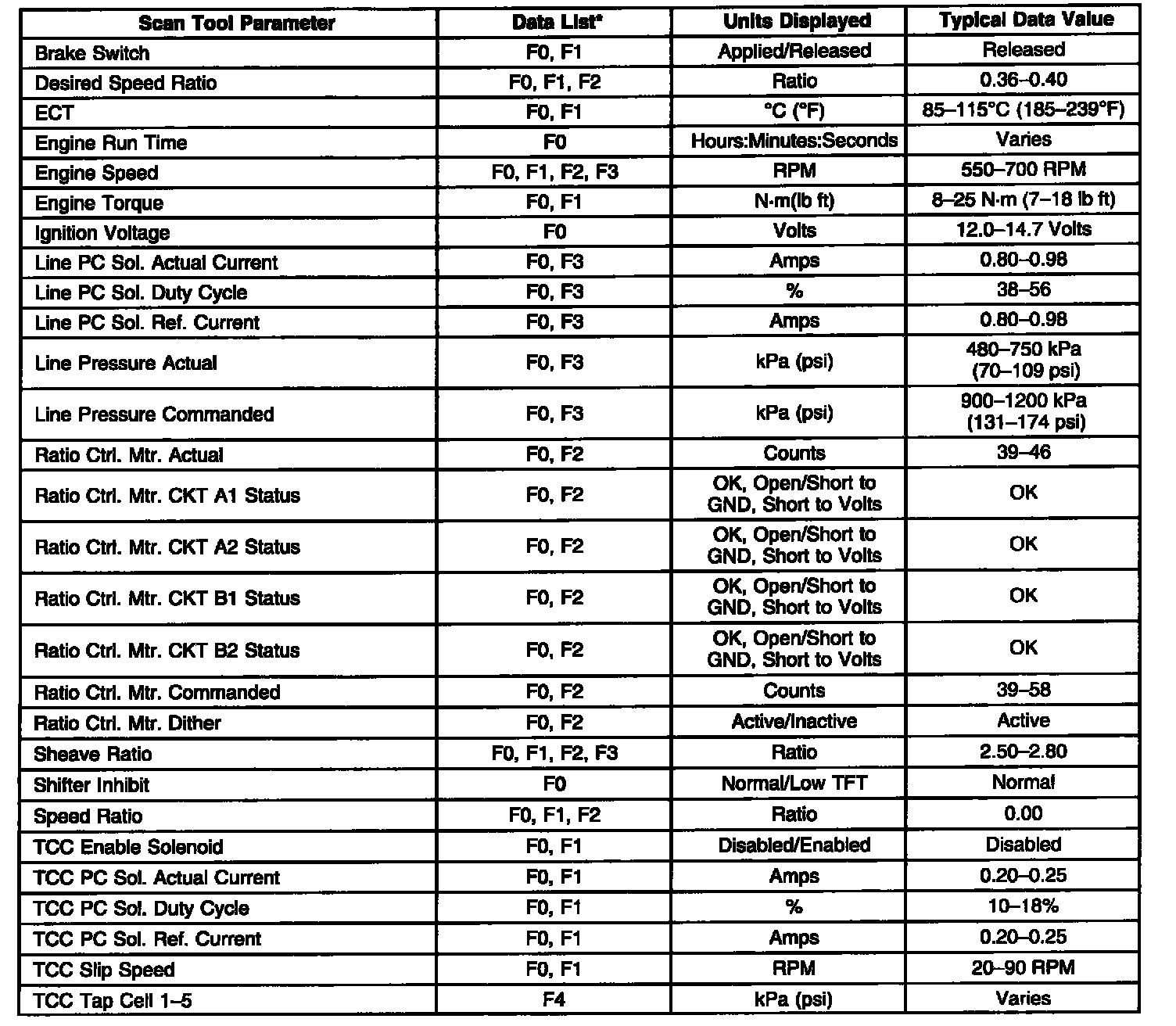
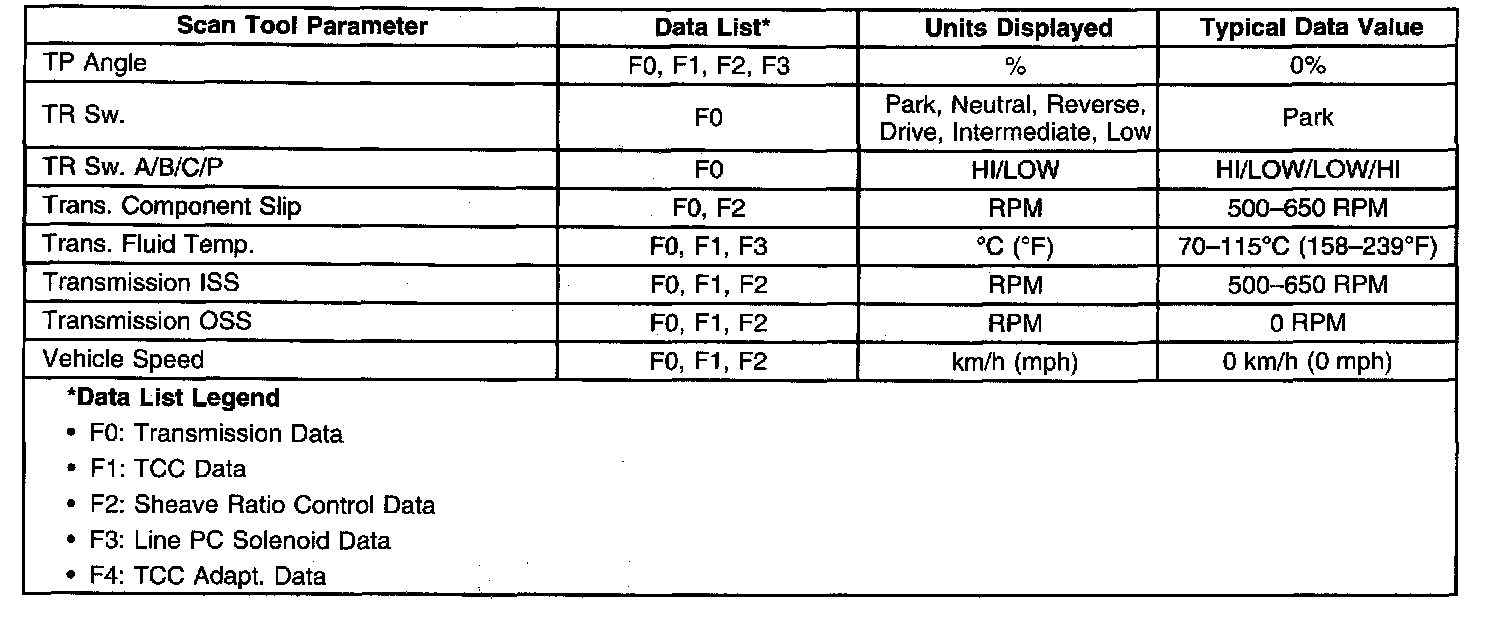
Use the Scan Tool Data List under the following conditions:
^ The Diagnostic System Check - Automatic Transmission has been completed.
^ The On-Board Diagnostics are functioning properly.
^ No DTCs are present.
Important: Do not use a scan tool that displays faulty data. Report the condition to the scan tool manufacturer. The use of a faulty scan tool can result in misdiagnosis and the unnecessary replacement of parts.
Only the parameters listed are used for diagnosing. If a scan tool displays other parameters, the values are not recommended by General Motors for use in diagnosis.
Scan tool values were recorded under the following conditions:
^ Engine at idle
^ Upper radiator hose is hot
^ Closed throttle
^ Transmission in Park
^ Closed loop operation
^ Accessories OFF
^ Brake pedal not applied
Transmission Scan Tool Data List
Use the Scan Tool Data List under the following conditions:
^ The Diagnostic System Check - Automatic Transmission has been completed.
^ The On-Board Diagnostics are functioning properly.
^ No DTCs are present.
Important: Do not use a scan tool that displays faulty data. Report the condition to the scan tool manufacturer. The use of a faulty scan tool can result in misdiagnosis and the unnecessary replacement of parts.
Only the parameters listed are used for diagnosing. If a scan tool displays other parameters, the values are not recommended by General Motors for use in diagnosis.
Scan tool values were recorded under the following conditions:
^ Engine at idle
^ Upper radiator hose is hot
^ Closed throttle
^ Transmission in Park
^ Closed loop operation
^ Accessories OFF
^ Brake pedal not applied
Factory Service Tools
Use the Manual With the Right Hardware
Pair factory procedures with proven DIY tools so the instructions are easier to execute.
Disclosure: Verified tool recommendations may earn an affiliate commission at no cost to you.
When to See a Mechanic
Stop DIY work and contact a certified mechanic immediately if any of the following apply:
- • You smell fuel, burning insulation, or see smoke.
- • Brakes feel soft, pull hard to one side, or make grinding noises.
- • The engine overheats, stalls repeatedly, or misfires under load.
- • You are missing required tools, torque specs, or safe lifting equipment.
- • You are not confident in the next step or safety outcome.