
Safety Warning
DIY auto repair can cause serious injury, fire, or vehicle damage. These guides are for informational purposes only. Always follow OEM torque specs, wear PPE, and consult a certified mechanic if you are unsure. You are solely responsible for your safety.
2002 Nissan-Datsun Sentra SE-R L4-2.5L (QR25DE)FACTORY OEM SERVICE PROCEDURE
Part 2
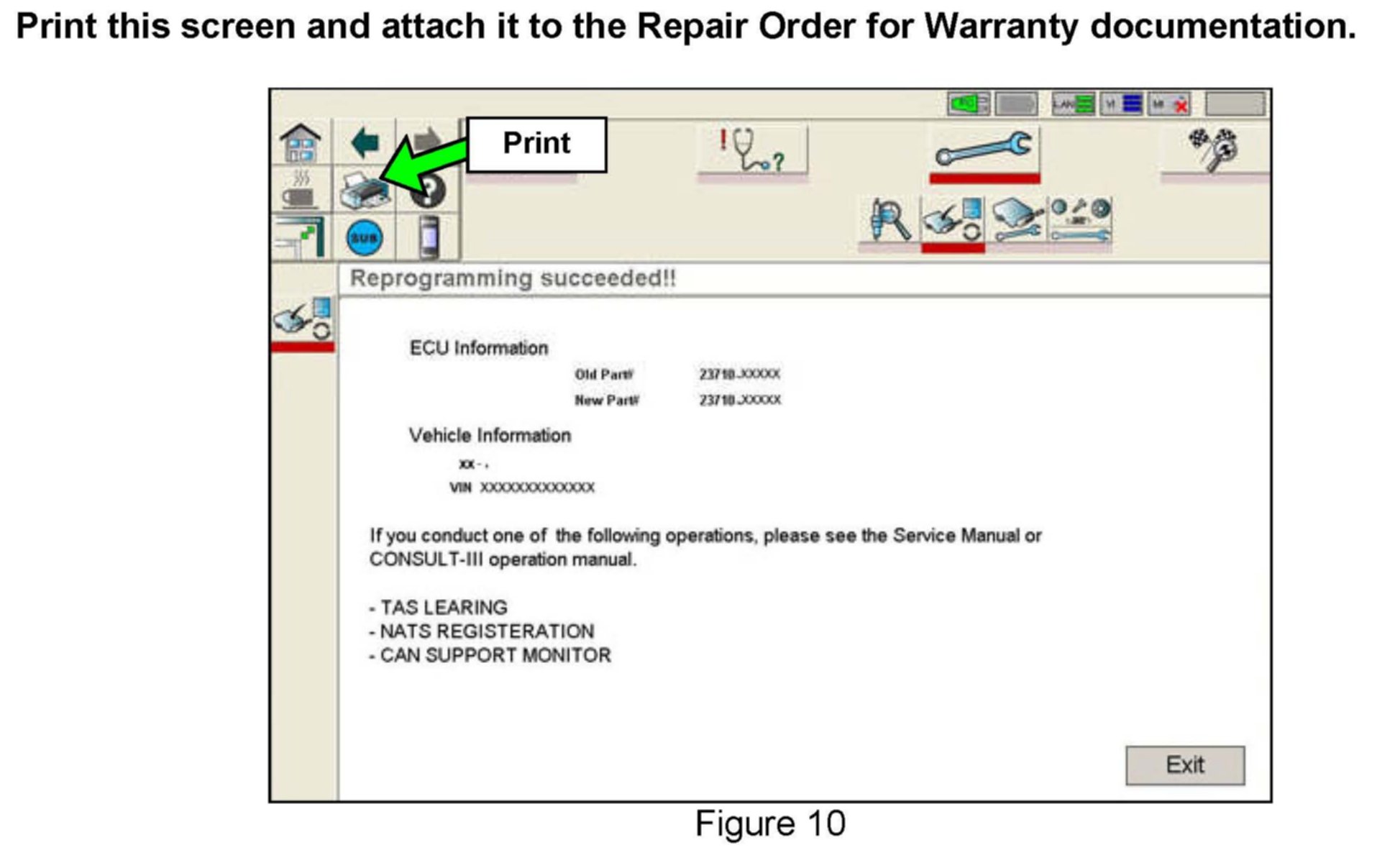
21. When the screen in Figure 10 appears, ECM reprogramming is complete.
NOTE:
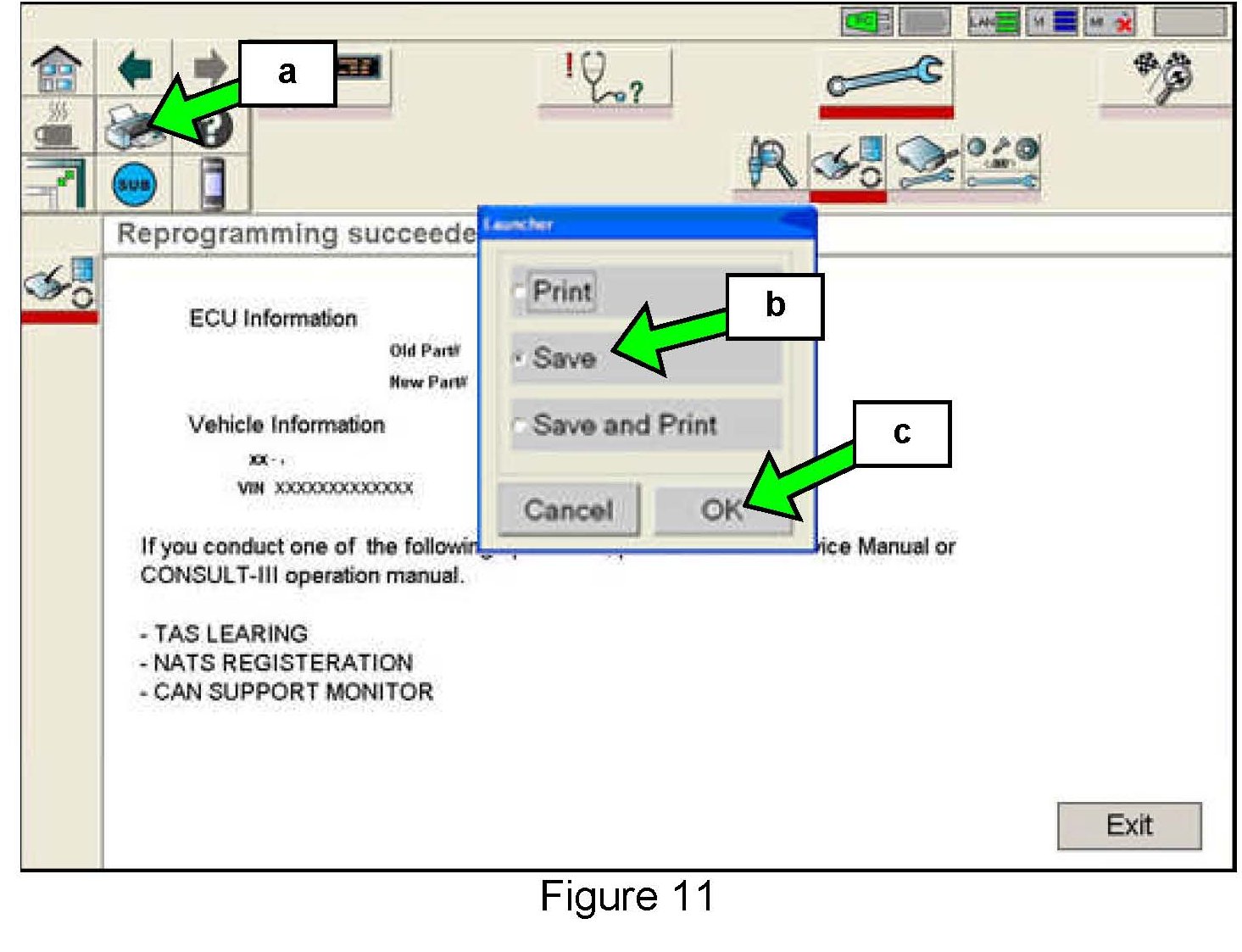
If you can't print the above screen:
a. Select the Print icon.
b. Select Save.
c. Select OK.
A copy of the screen is now saved in the Toughbook(R) PC.
NOTE:
If you saved a copy of the screen in Figure 10 and need to print it at a later date, you can find it in the following file location:
At the bottom left corner of the computer screen click on Start.
In the Administrator window select My Computer.
In the My Computer screen select Local Disc (C).
In the Local Disc (C) screen select Consult III folder.
In the Consult III screen/folder select ApplicationData folder.
In the ApplicationData screen/folder select PrintImages folder.
When the file was saved it was automatically given a file name using the current date and time. Select and print the file/screen image that you want.
NOTE:
During reprogramming DTCs will set in several systems. DTCs must be erased from all systems.
Erase DTCs from all systems
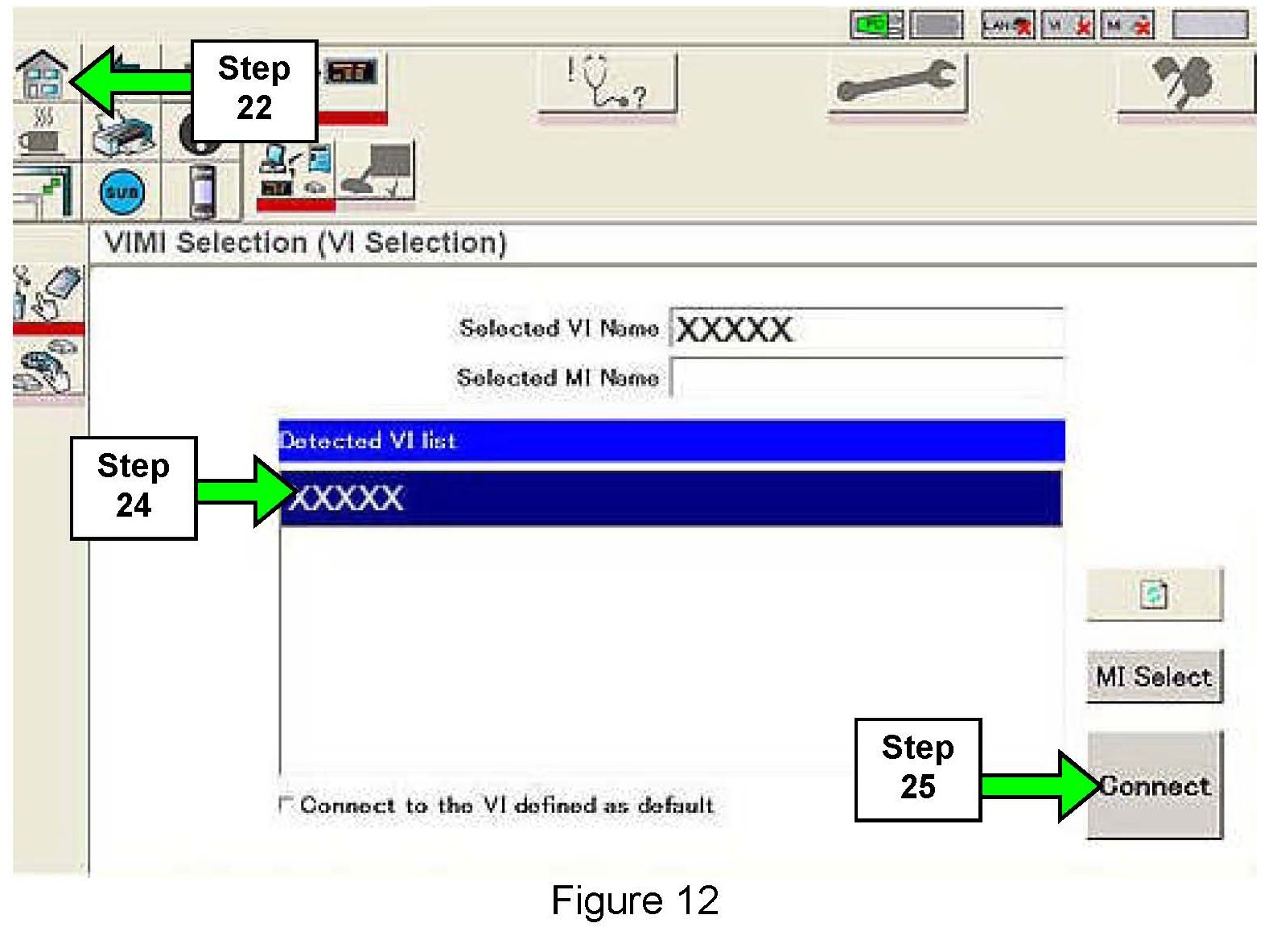
22. Click on the "Home" icon (top left corner of the C-III screen).
23. Wait for the "Detecting VI/MI in progress" message to clear.
24. Select the detected VI from the list. (See Figure 12.)
25. Select Connect.
26. Wait for the "Checking the firmware version" message to clear.
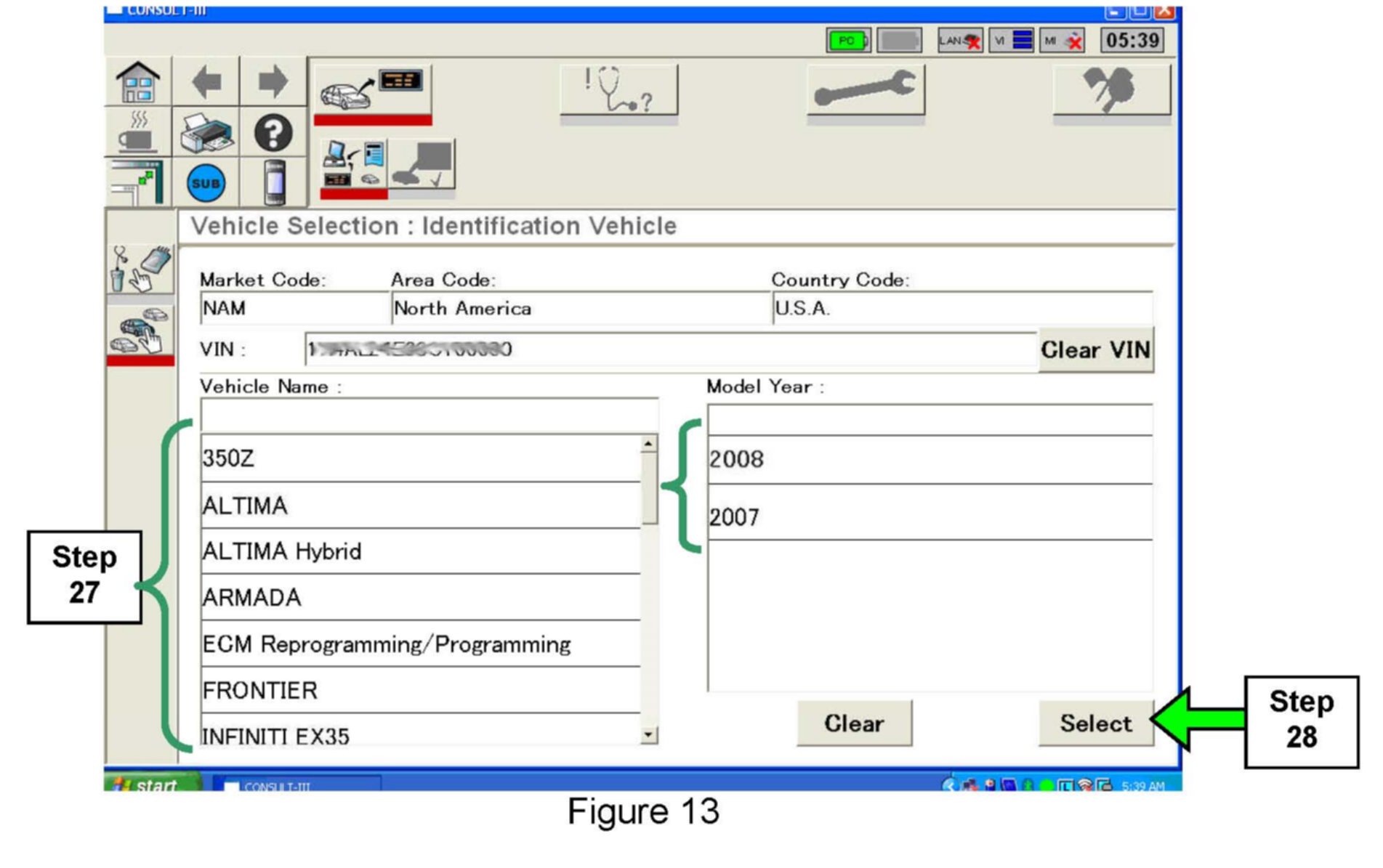
27. Select the correct vehicle and model year from the list (see Figure 13 example).
28. Select Select
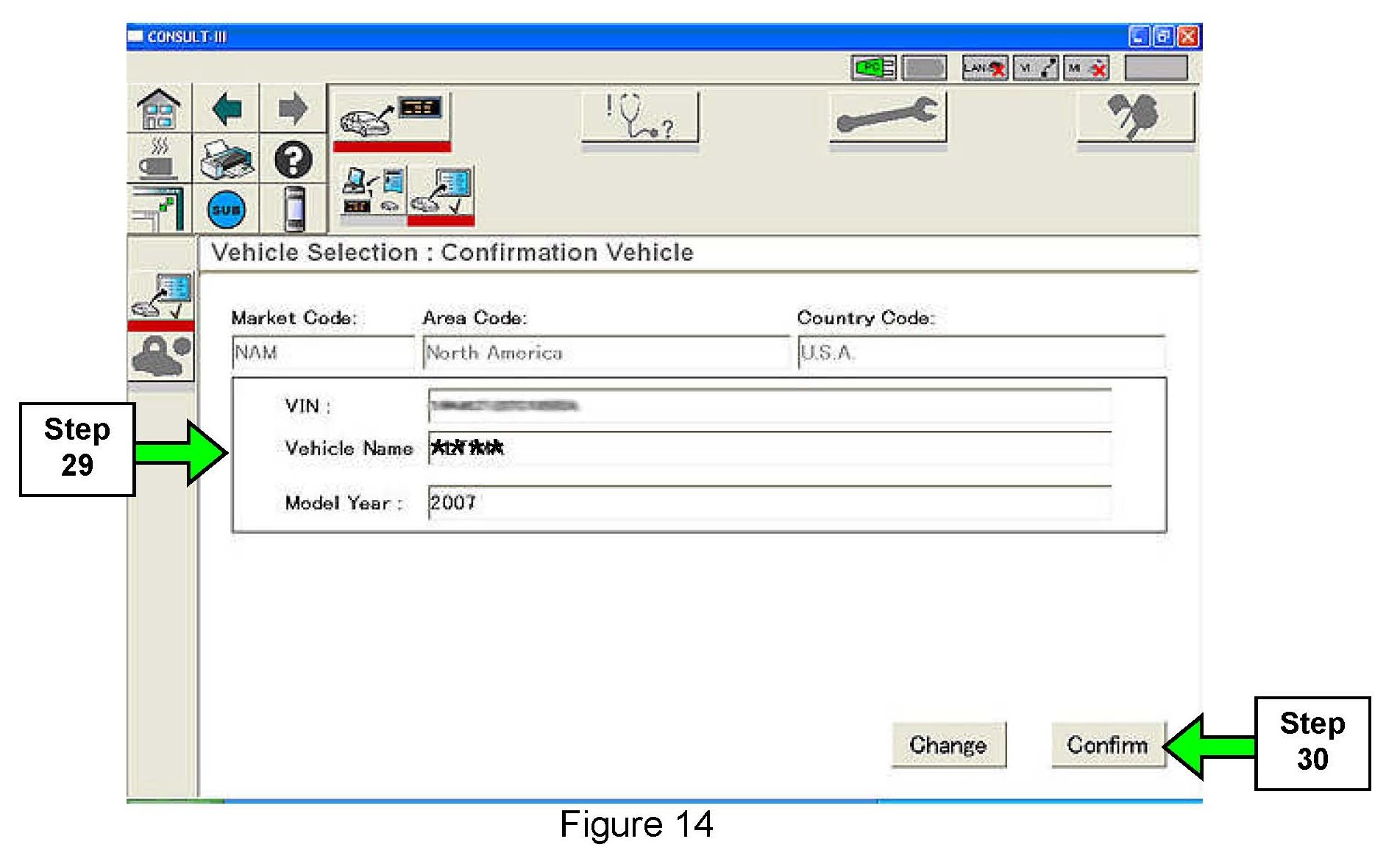
29. Make sure the correct vehicle is displayed (see Figure 14 example).
30. Select Confirm

31. Select Diagnosis
32. Wait for System Call to complete and CAN Diagnosis to reach 51%.
When the CAN diagnosis reaches 51%, the process icons in the Process Guide Area at the top of the screen will light (become enabled).

33. When the icons light, click on the "Final Check" icon.

34. CAN diagnosis will run again. When it reaches 51% and the icons light, click on the "Duplication Test" icon.
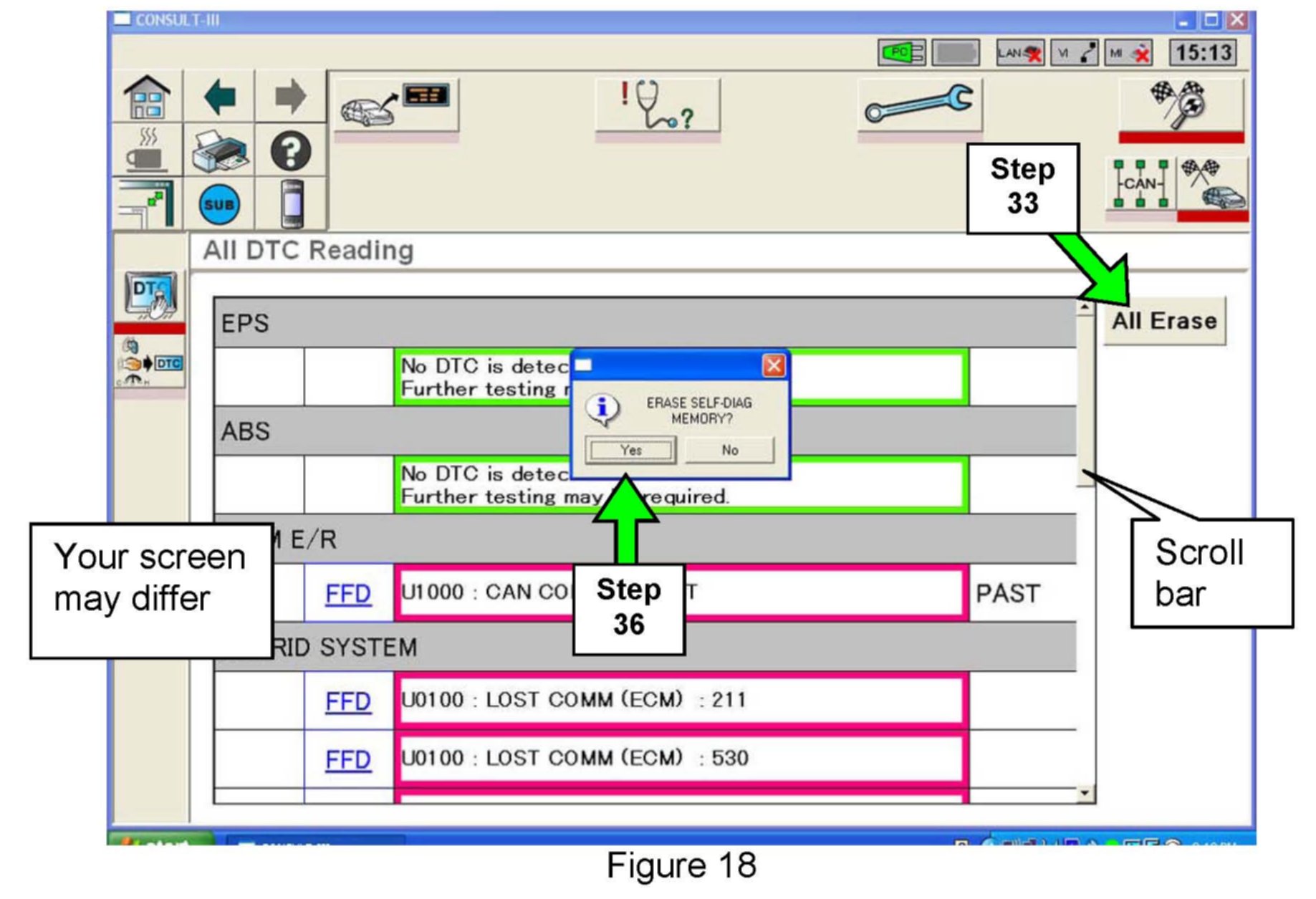
35. When the screen in Figure 18 appears, click on All Erase.
36. Click on Yes (see Figure 18).
37. Use the scroll bar to scroll down the page and make sure all DTCs are erased.
^ For any DTCs that do not erase: diagnose, perform repairs, and erase DTCs.
^ Refer to the Service Manual as needed.
Reprogramming is finished. Continue with the Procedure below.
38. Close C-III, then turn the ignition OFF.
39. Make sure the throttle is released and your foot is NOT pressing either the brake or clutch (M/T) pedal;

40. Operate the ignition as shown in Figure 19.
NOTE:
For Hybrid vehicles, ignition ON = dash warning lights ON and the "READY" light OFF.
^ The above ignition cycle will reset ECM self learned Data.
41a. For Hybrid vehicles, skip to step 42.
41b. Start the engine and check the idle speed.
^ If idle speed is too low, perform Idle Air Volume Learning (IAVL). See the appropriate Service Manual (ESM) for this procedure.
NOTE:
If the engine will not idle, hold the engine RPM at about 2000, then slowly bring it down to an idle. IAVL can now be performed.
42. Test drive the vehicle; make sure it is operating correctly and the Check Engine light is OFF.
^ If the Check Engine light comes ON; diagnosis, repair, and erase DTCs.
Factory Service Tools
Use the Manual With the Right Hardware
Pair factory procedures with proven DIY tools so the instructions are easier to execute.
Disclosure: Verified tool recommendations may earn an affiliate commission at no cost to you.
When to See a Mechanic
Stop DIY work and contact a certified mechanic immediately if any of the following apply:
- • You smell fuel, burning insulation, or see smoke.
- • Brakes feel soft, pull hard to one side, or make grinding noises.
- • The engine overheats, stalls repeatedly, or misfires under load.
- • You are missing required tools, torque specs, or safe lifting equipment.
- • You are not confident in the next step or safety outcome.