
Safety Warning
DIY auto repair can cause serious injury, fire, or vehicle damage. These guides are for informational purposes only. Always follow OEM torque specs, wear PPE, and consult a certified mechanic if you are unsure. You are solely responsible for your safety.
2012 Lexus IS 350C V6-3.5L (2GR-FSE)FACTORY OEM SERVICE PROCEDURE
Canada - Windows - Power Window Initialization
Bulletin
L-TCI-3051
Issue Date
September 21, 2011
Title:
INITIALIZATION OF POWER WINDOW DURING PDS
Service Category
General
Section
Pre-Delivery Service
Market
Canada

APPLICABILITY:
INTRODUCTION:
As a result of the removal of the DCC fuse, the "one-touch open and close" and "jam protection" functions of the driver's door power window will be inoperative due to loss of the driver's door power window position memory stored in the microcomputer.
Initialize the driver's door power window after installing the DCC fuse in its original location during Pre-Delivery Service (PDS).
NOTE
Any time the battery terminal has been disconnected, each power window MUST be initialized after reconnecting the battery terminal.

WARRANTY INFORMATION:
INITIALIZATION PROCEDURE:
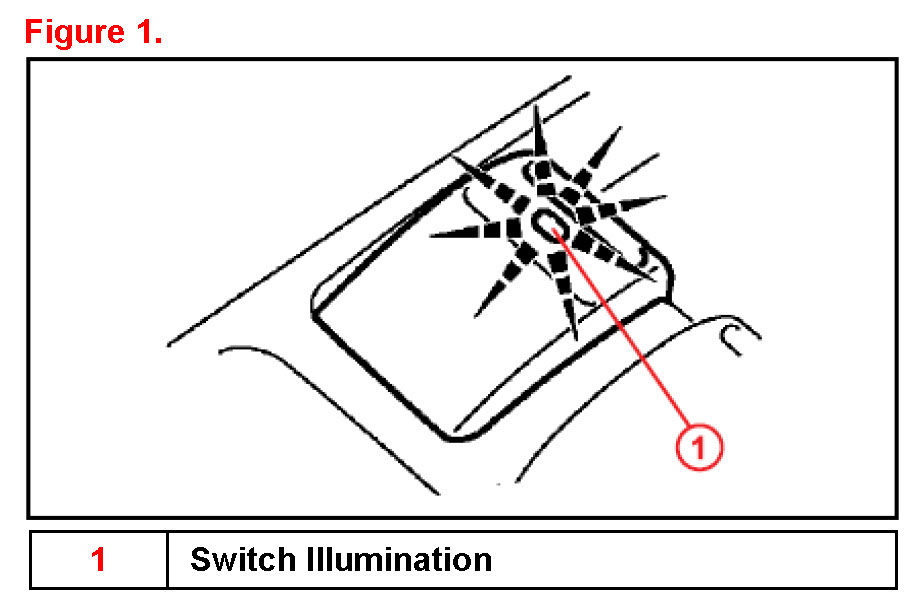
1. Cycle the ignition switch to the "IG-ON" position.
NOTE
When not initialized, the power window switch for the driver's door window will blink.
2. Close the driver and passenger doors and verify the quarter windows and retractable hardtop are fully closed.
3. Push "DOWN" the driver's door power window switch and lower the window halfway.
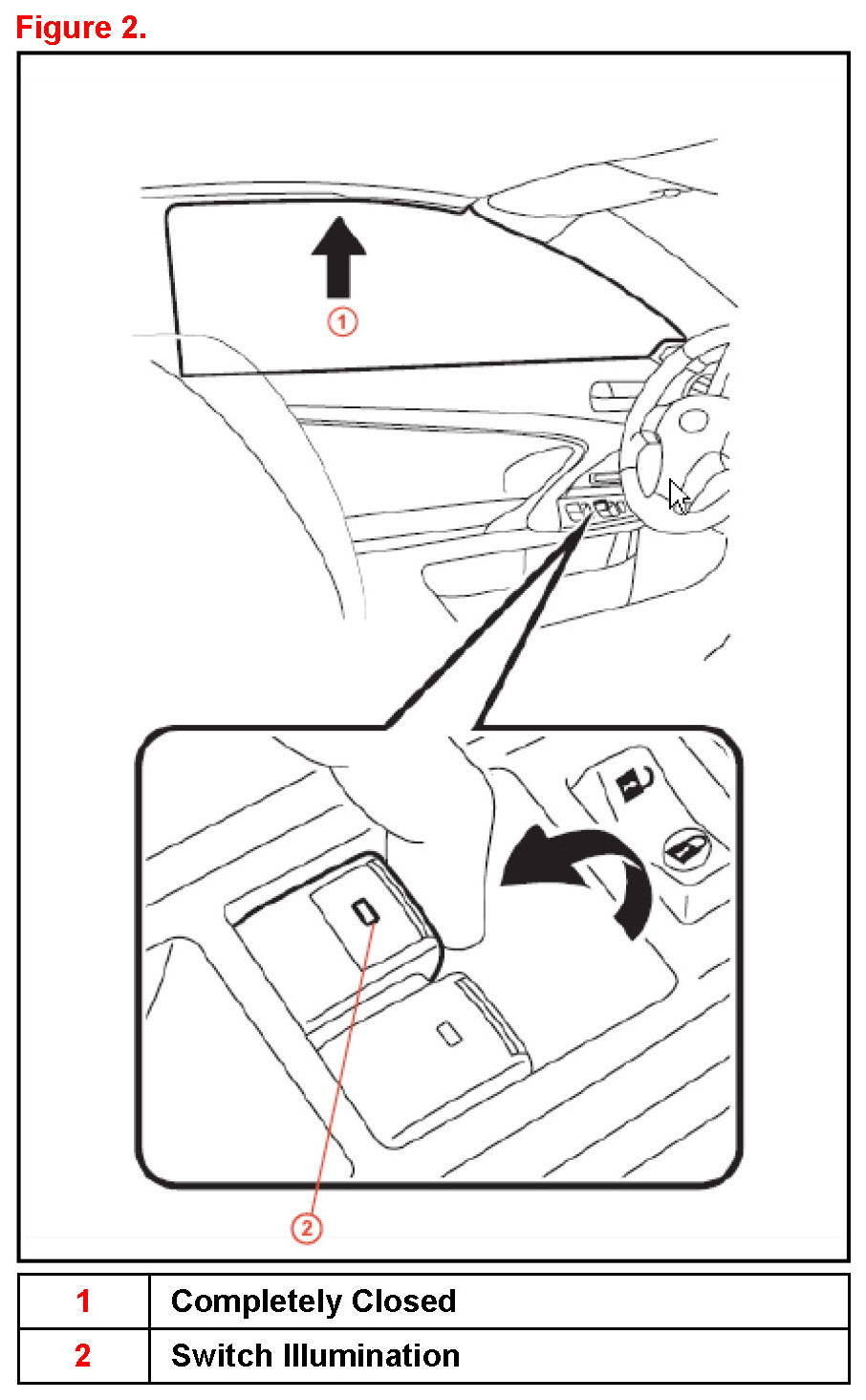
4. Pull "UP" the driver's door power window switch until the window closes, and hold it until the switch stops blinking and remains illuminated.
NOTE
- It may be necessary to hold the power window switch for over 10 seconds for the initialization to complete.
- Jam protection function is enabled through the above initialization procedure.
5. Check for proper operation of the "one-touch open and close" function by fully pushing the switch "DOWN" once and fully pulling the switch "UP" once.
NOTE
Open the door and confirm that the window automatically retracts (lowers) slightly. Confirm that the window automatically returns to the fully closed position when the door is closed. If not, initialization is not complete. Please repeat steps 1 - 5.
6. Repeat steps 1 - 5 for passenger door power window.
L-TCI-3051
Issue Date
September 21, 2011
Title:
INITIALIZATION OF POWER WINDOW DURING PDS
Service Category
General
Section
Pre-Delivery Service
Market
Canada
APPLICABILITY:
INTRODUCTION:
As a result of the removal of the DCC fuse, the "one-touch open and close" and "jam protection" functions of the driver's door power window will be inoperative due to loss of the driver's door power window position memory stored in the microcomputer.
Initialize the driver's door power window after installing the DCC fuse in its original location during Pre-Delivery Service (PDS).
NOTE
Any time the battery terminal has been disconnected, each power window MUST be initialized after reconnecting the battery terminal.
WARRANTY INFORMATION:
INITIALIZATION PROCEDURE:
1. Cycle the ignition switch to the "IG-ON" position.
NOTE
When not initialized, the power window switch for the driver's door window will blink.
2. Close the driver and passenger doors and verify the quarter windows and retractable hardtop are fully closed.
3. Push "DOWN" the driver's door power window switch and lower the window halfway.
4. Pull "UP" the driver's door power window switch until the window closes, and hold it until the switch stops blinking and remains illuminated.
NOTE
- It may be necessary to hold the power window switch for over 10 seconds for the initialization to complete.
- Jam protection function is enabled through the above initialization procedure.
5. Check for proper operation of the "one-touch open and close" function by fully pushing the switch "DOWN" once and fully pulling the switch "UP" once.
NOTE
Open the door and confirm that the window automatically retracts (lowers) slightly. Confirm that the window automatically returns to the fully closed position when the door is closed. If not, initialization is not complete. Please repeat steps 1 - 5.
6. Repeat steps 1 - 5 for passenger door power window.
Factory Service Tools
Use the Manual With the Right Hardware
Pair factory procedures with proven DIY tools so the instructions are easier to execute.
Disclosure: Verified tool recommendations may earn an affiliate commission at no cost to you.
When to See a Mechanic
Stop DIY work and contact a certified mechanic immediately if any of the following apply:
- • You smell fuel, burning insulation, or see smoke.
- • Brakes feel soft, pull hard to one side, or make grinding noises.
- • The engine overheats, stalls repeatedly, or misfires under load.
- • You are missing required tools, torque specs, or safe lifting equipment.
- • You are not confident in the next step or safety outcome.