
Safety Warning
DIY auto repair can cause serious injury, fire, or vehicle damage. These guides are for informational purposes only. Always follow OEM torque specs, wear PPE, and consult a certified mechanic if you are unsure. You are solely responsible for your safety.
2004 Lexus LS 430 V8-4.3L (3UZ-FE)FACTORY OEM SERVICE PROCEDURE
Registration (Additional Smart Key)
NOTE: This article contains changes called out by TSB# EL003-004.
The following procedure should be used to add an additional Smart Key (Immobilizer and Smart/Wireless functions) to the 2004-2006 model year LS430.
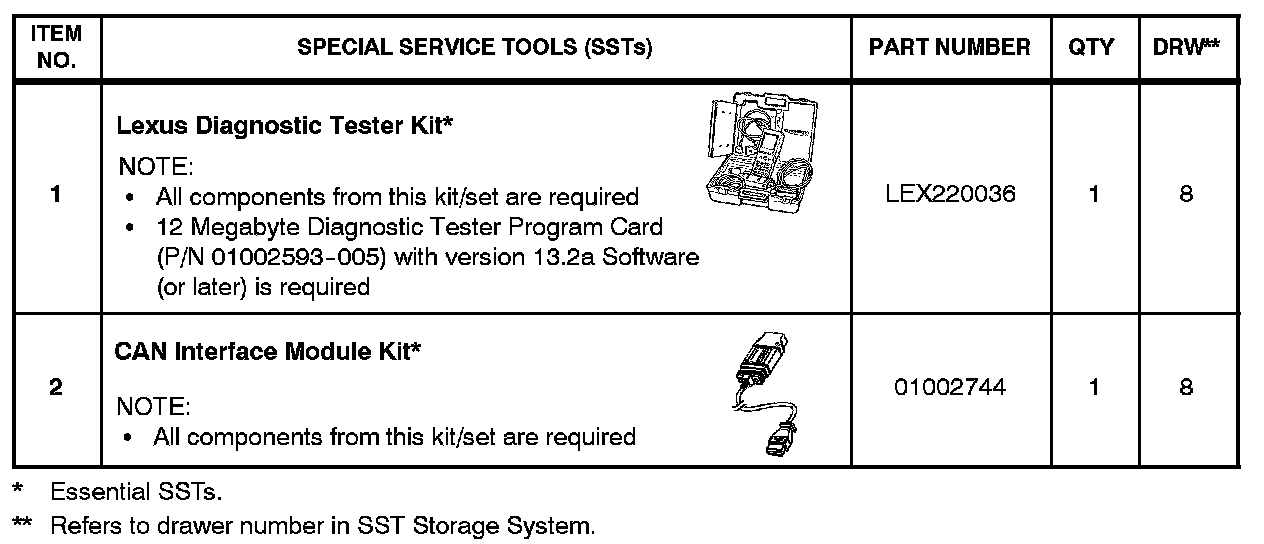
Required SSTs
REGISTRATION PROCEDURE
1. Make sure that the key is NEW (has never been registered to another vehicle) and verify that it is a Master Key (has a trunk button). Sub-keys will NOT have a trunk button and have NO Smart function.
2. Place the vehicle in an area that is free from radio frequency interference (i.e., away from any power lines, laser wheel alignment machines, etc.).
3. Turn off or remove from the vehicle interior any wireless communication devices (i.e., cell phones, text pagers, etc.) and all other non-factory electrical accessories.
4. Insert a registered Smart Key into the ignition.
5. Turn the ignition to the ON position, but do not start the engine.
6. Connect Diagnostic Tester to DLC3.
7. If the Diagnostic Tester backlighting is ON, use the screen flow below to turn it "OFF" to prevent possible signal interference. If backlighting is already OFF, proceed to step 8.
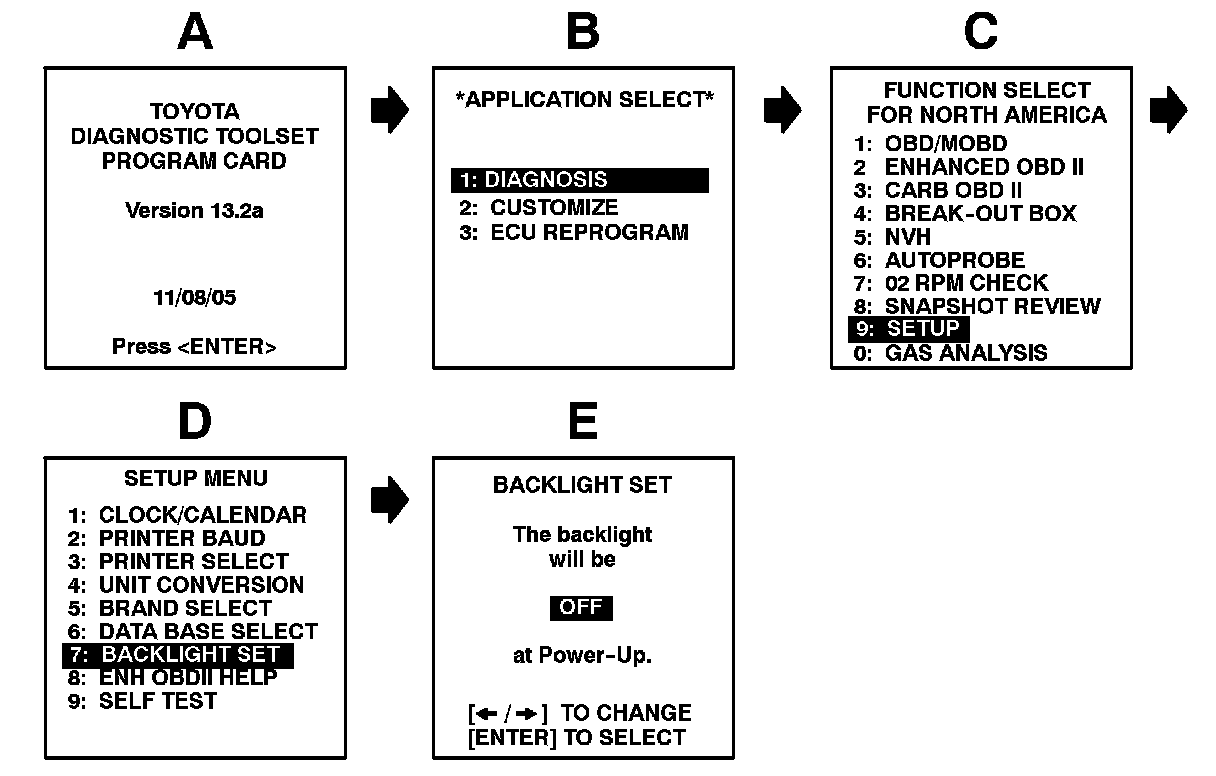
A. Turn the Diagnostic Tester power ON and follow the screen flow shown.
B. Turn the Diagnostic Tester power OFF and back ON.
Registration Procedure: Immobilizer Function
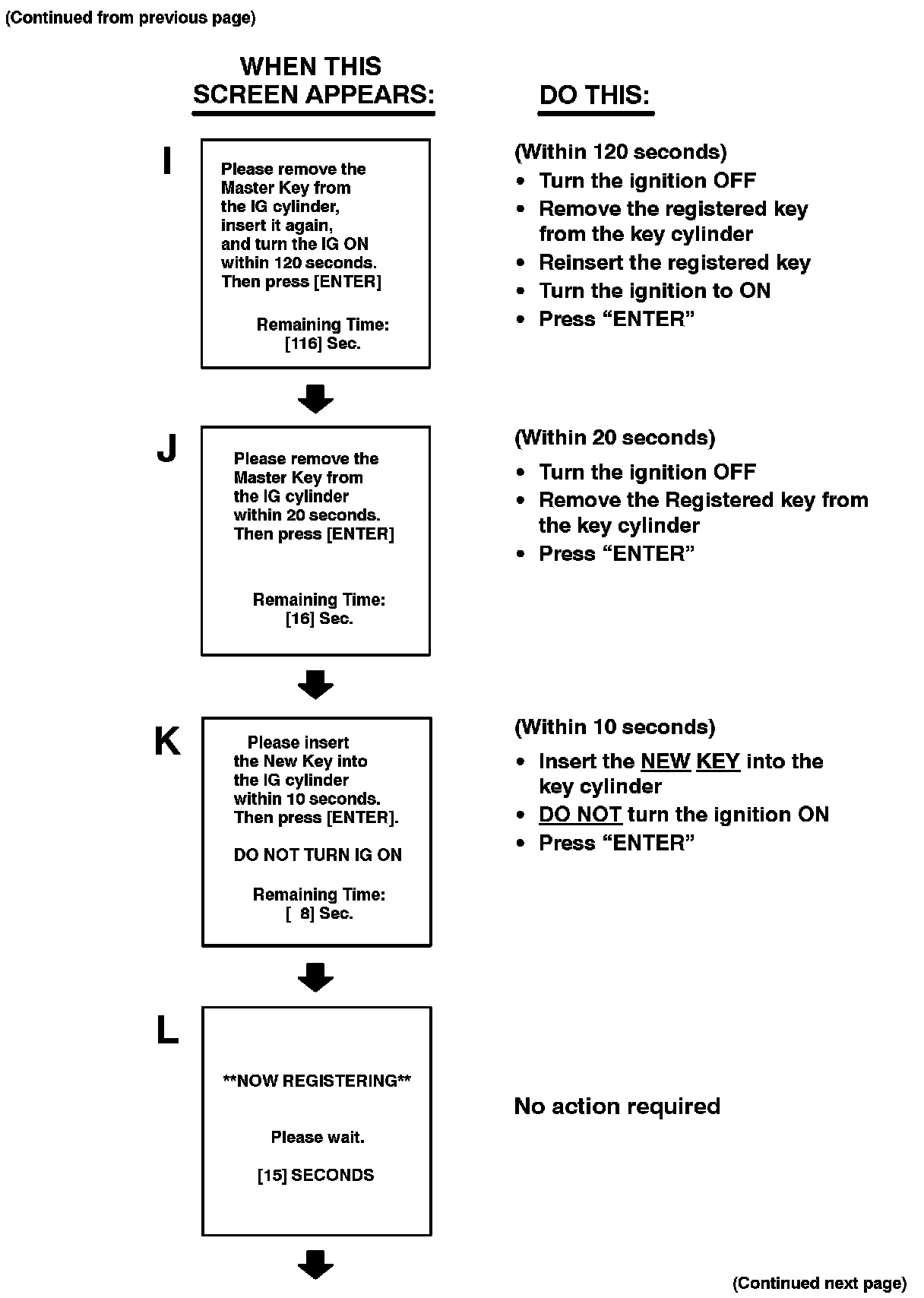
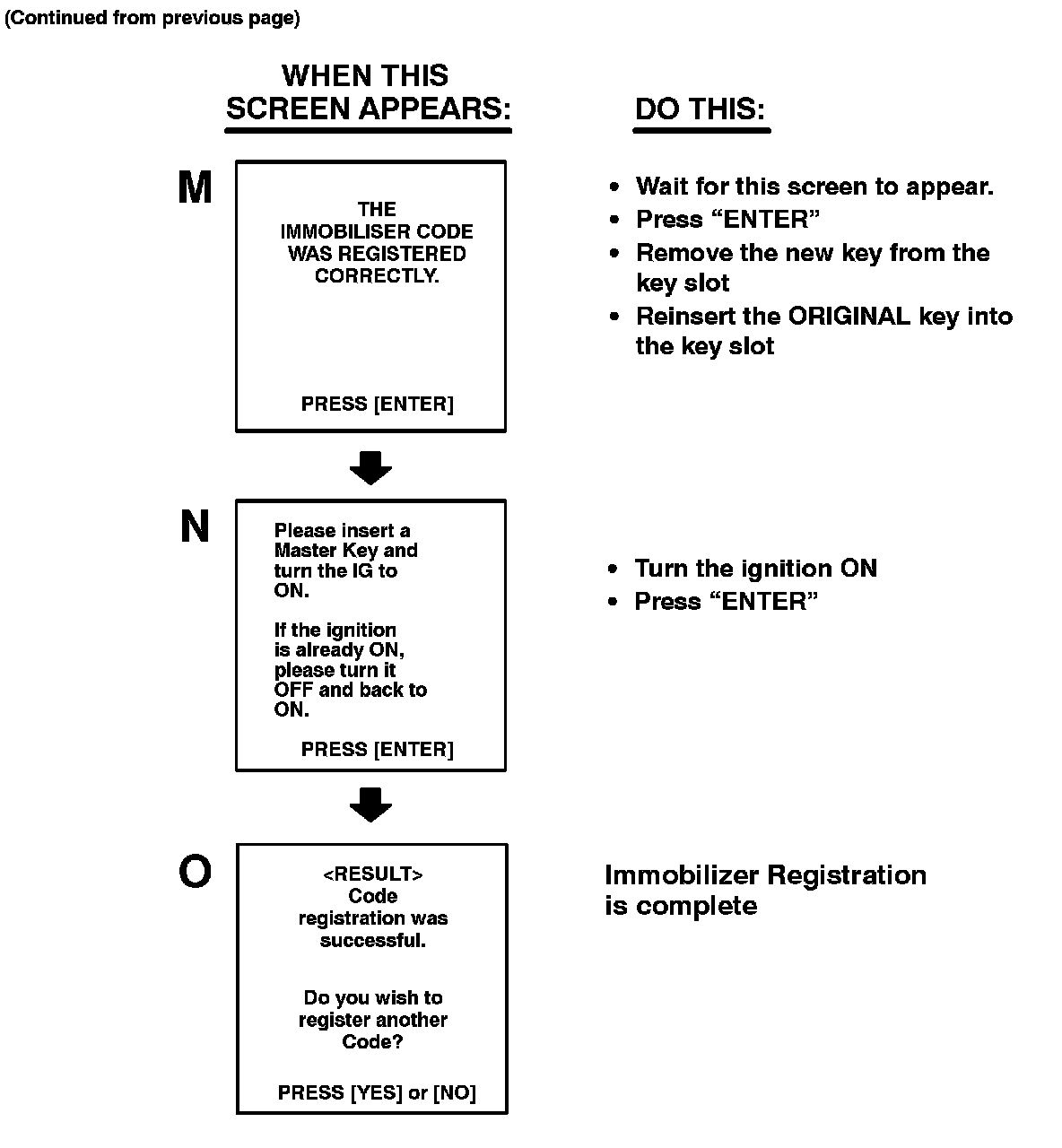
8. Register the Immobilizer function.
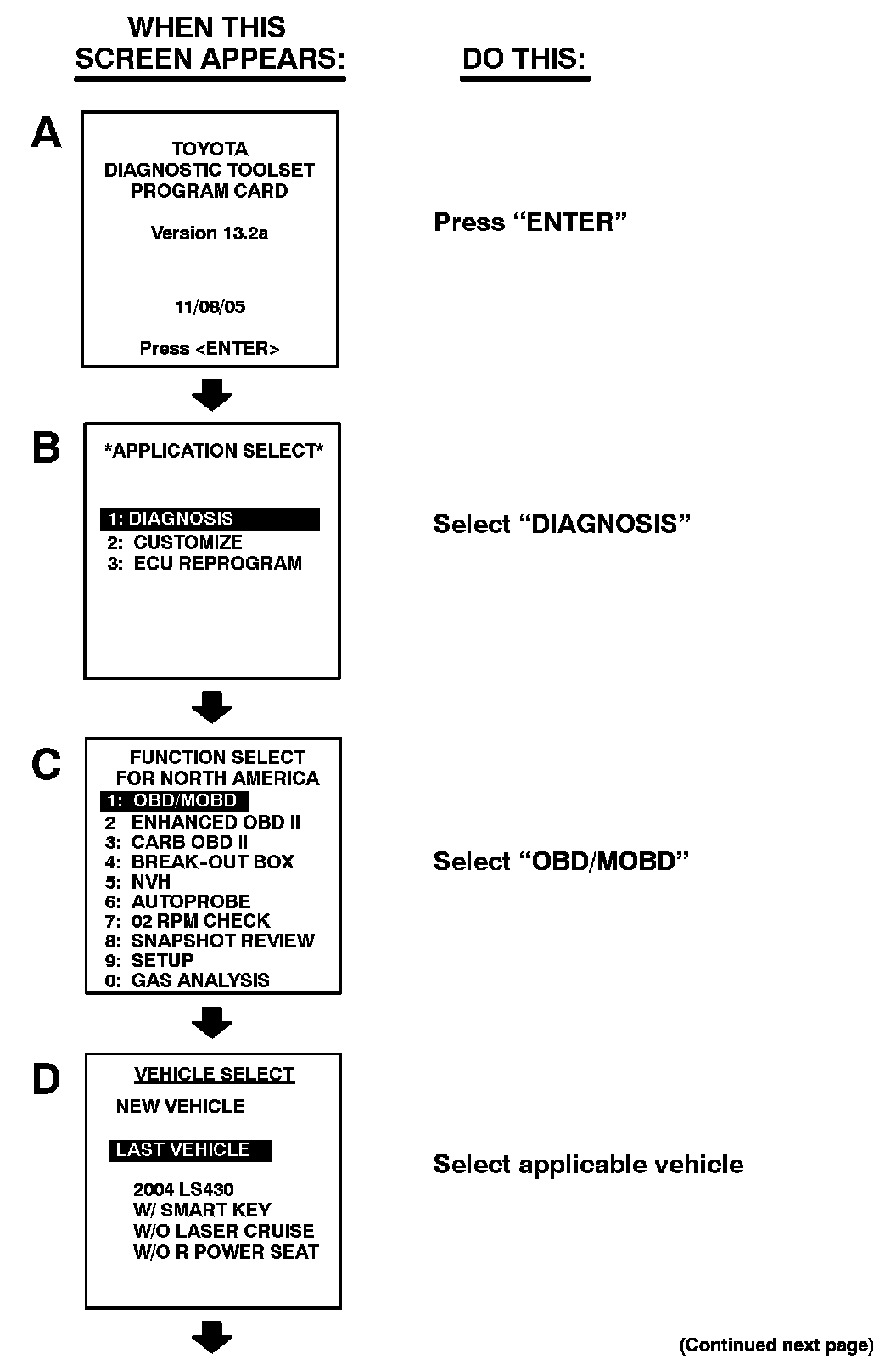
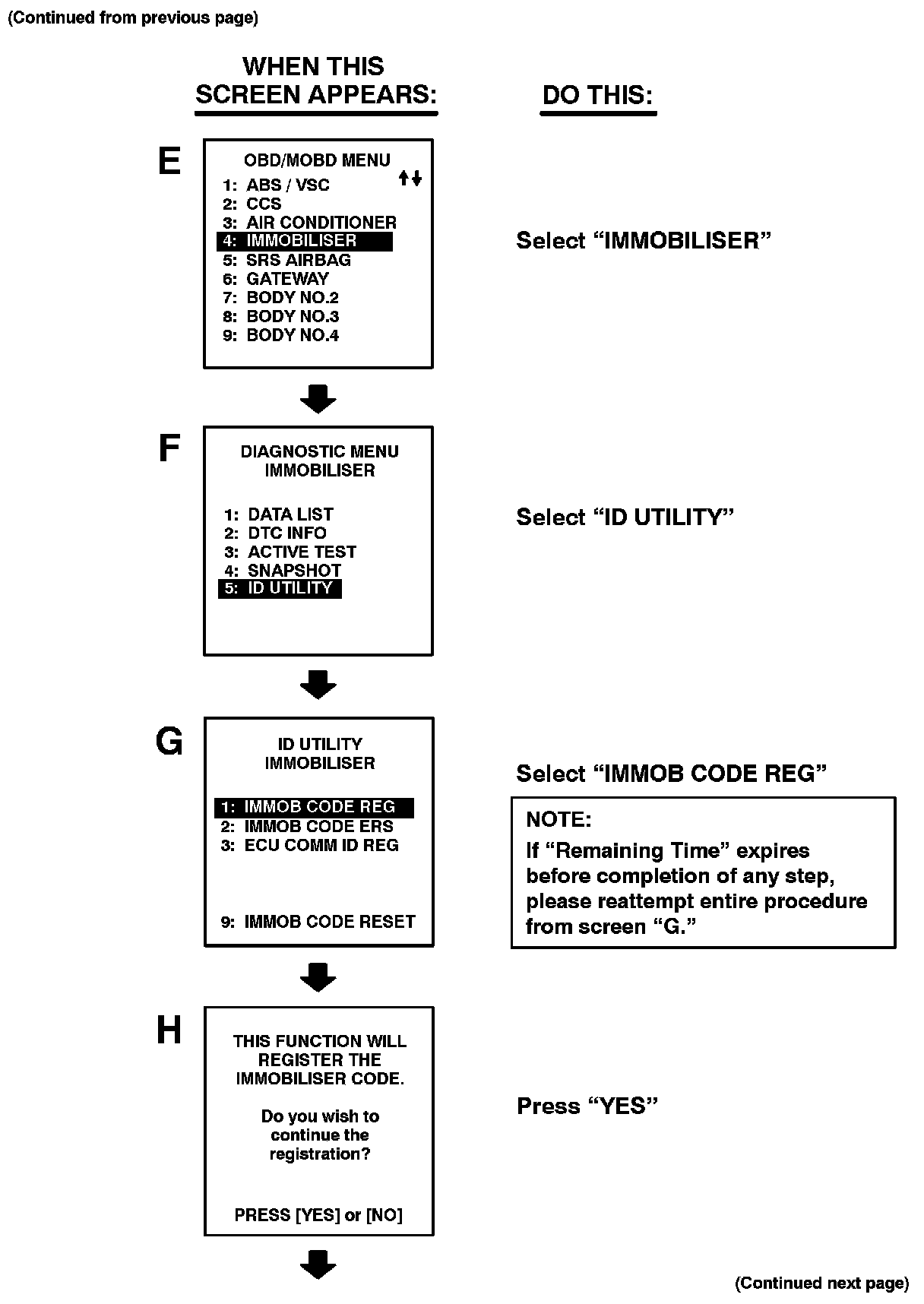
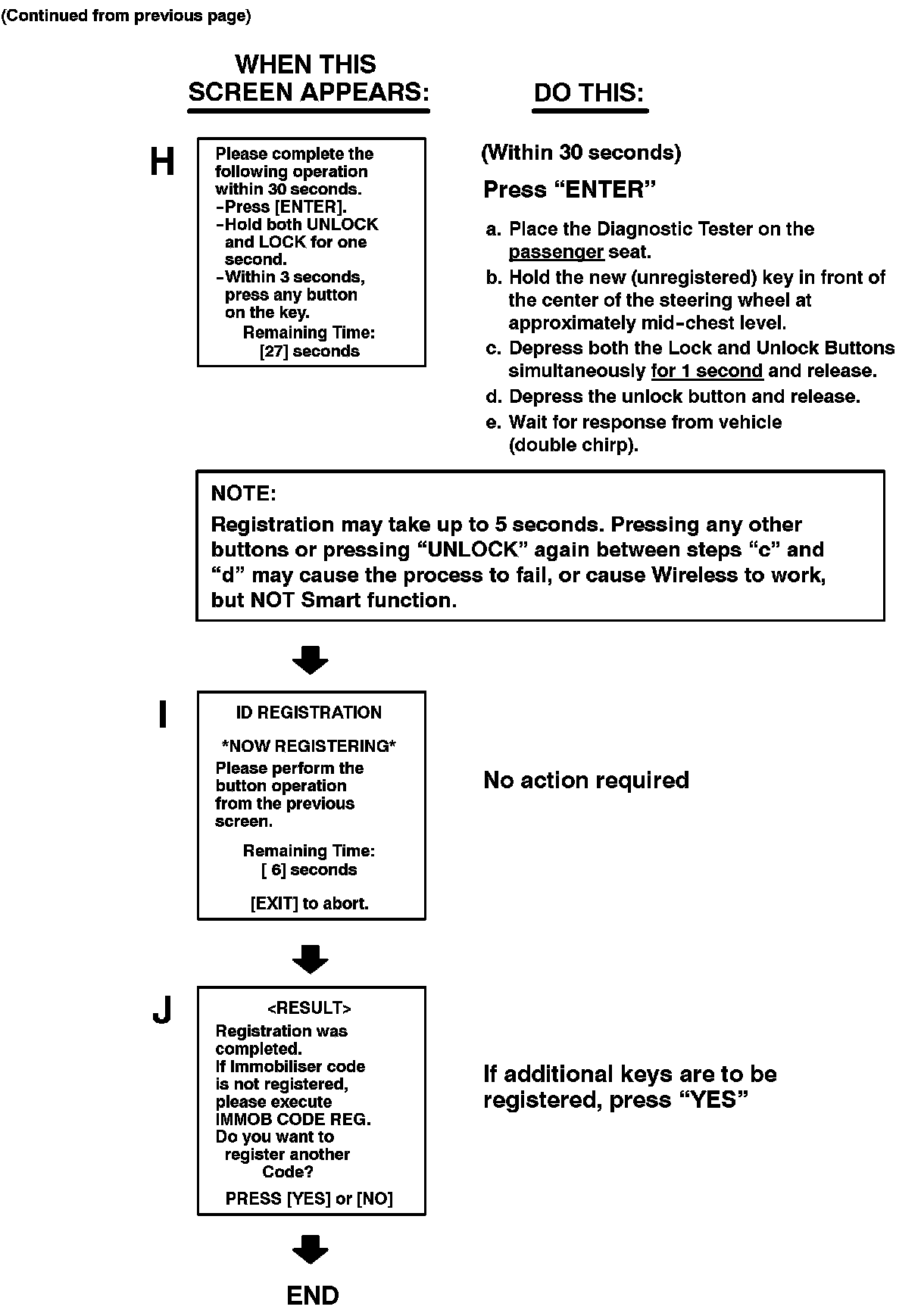
A. Follow the Diagnostic Tester screen flows provided. This procedure works best if you use the instructions under the "DO THIS" column and use the screen prints to know WHEN to perform the instructions only.
B. Verify that a registered master key is in the key slot and the ignition is ON.
Registration Procedure: Smart Key/Wireless Function
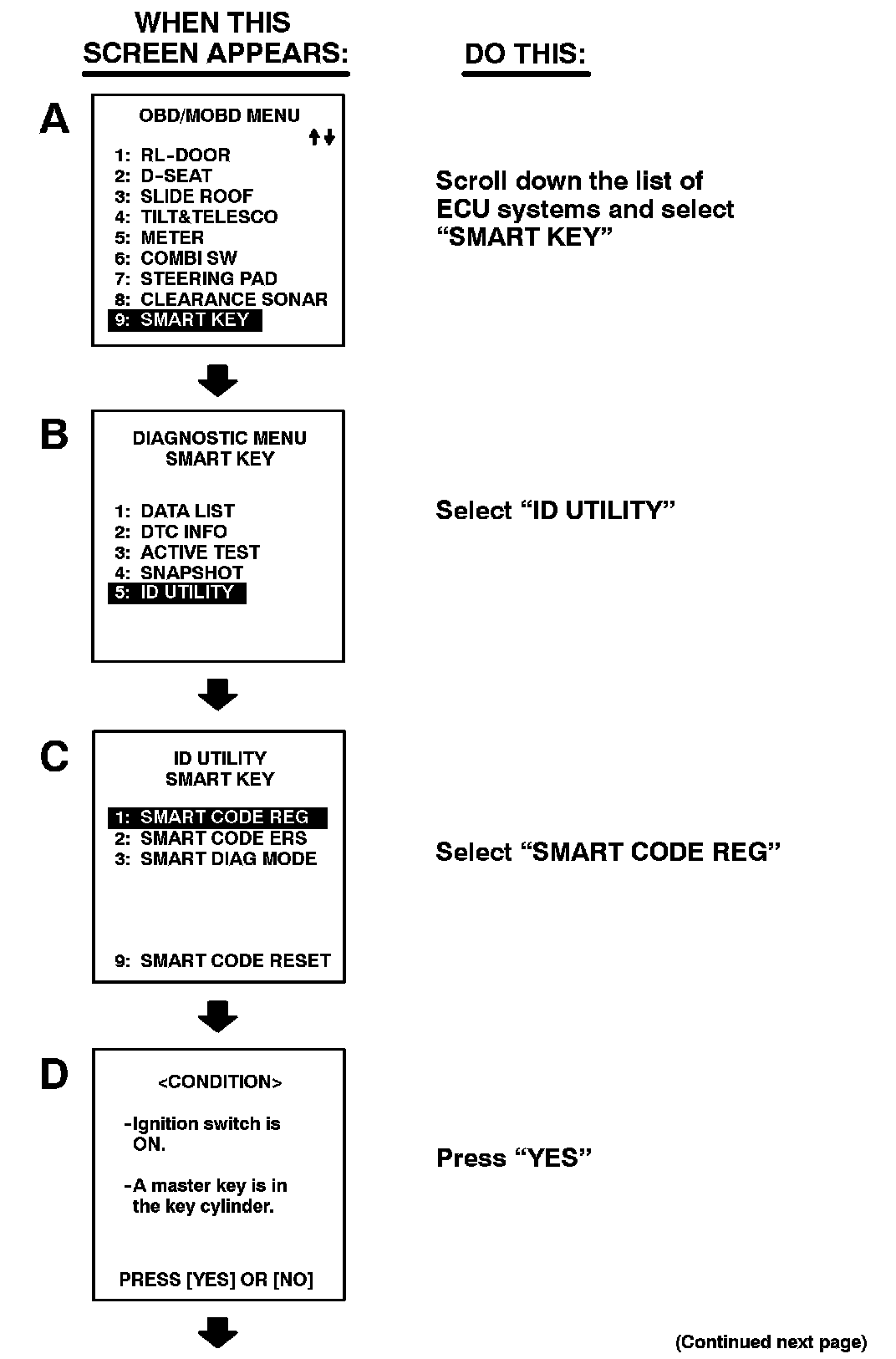
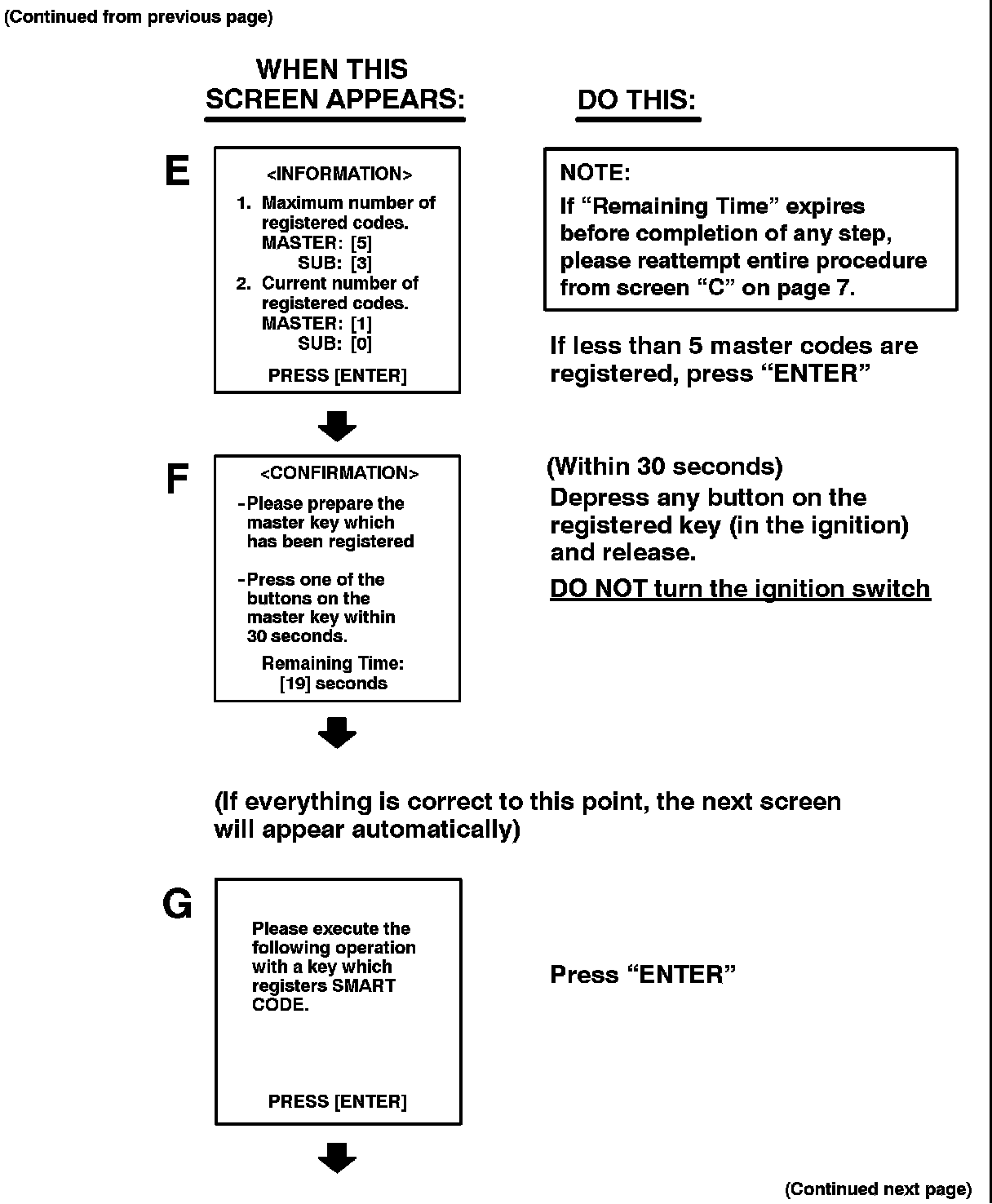
9. Register the Smart Key/Wireless function.
A. From the Immobilizer ID Utility menu (above), Press the Diagnostic Tester "EXIT" button twice to bring up the OBD/MOBD Menu.
B. Follow the screen prints provided.
10. Confirm that Wireless and Smart functions are working properly.
The following procedure should be used to add an additional Smart Key (Immobilizer and Smart/Wireless functions) to the 2004-2006 model year LS430.
Required SSTs
REGISTRATION PROCEDURE
1. Make sure that the key is NEW (has never been registered to another vehicle) and verify that it is a Master Key (has a trunk button). Sub-keys will NOT have a trunk button and have NO Smart function.
2. Place the vehicle in an area that is free from radio frequency interference (i.e., away from any power lines, laser wheel alignment machines, etc.).
3. Turn off or remove from the vehicle interior any wireless communication devices (i.e., cell phones, text pagers, etc.) and all other non-factory electrical accessories.
4. Insert a registered Smart Key into the ignition.
5. Turn the ignition to the ON position, but do not start the engine.
6. Connect Diagnostic Tester to DLC3.
7. If the Diagnostic Tester backlighting is ON, use the screen flow below to turn it "OFF" to prevent possible signal interference. If backlighting is already OFF, proceed to step 8.
A - E:
A. Turn the Diagnostic Tester power ON and follow the screen flow shown.
B. Turn the Diagnostic Tester power OFF and back ON.
A - D:
E - H:
I - L:
M - O:
Registration Procedure: Immobilizer Function
8. Register the Immobilizer function.
A. Follow the Diagnostic Tester screen flows provided. This procedure works best if you use the instructions under the "DO THIS" column and use the screen prints to know WHEN to perform the instructions only.
B. Verify that a registered master key is in the key slot and the ignition is ON.
A - D:
E - G:
H - J:
Registration Procedure: Smart Key/Wireless Function
9. Register the Smart Key/Wireless function.
A. From the Immobilizer ID Utility menu (above), Press the Diagnostic Tester "EXIT" button twice to bring up the OBD/MOBD Menu.
B. Follow the screen prints provided.
10. Confirm that Wireless and Smart functions are working properly.
Factory Service Tools
Use the Manual With the Right Hardware
Pair factory procedures with proven DIY tools so the instructions are easier to execute.
Disclosure: Verified tool recommendations may earn an affiliate commission at no cost to you.
When to See a Mechanic
Stop DIY work and contact a certified mechanic immediately if any of the following apply:
- • You smell fuel, burning insulation, or see smoke.
- • Brakes feel soft, pull hard to one side, or make grinding noises.
- • The engine overheats, stalls repeatedly, or misfires under load.
- • You are missing required tools, torque specs, or safe lifting equipment.
- • You are not confident in the next step or safety outcome.