
Safety Warning
DIY auto repair can cause serious injury, fire, or vehicle damage. These guides are for informational purposes only. Always follow OEM torque specs, wear PPE, and consult a certified mechanic if you are unsure. You are solely responsible for your safety.
2011 Kia Optima L4-2.0L TurboFACTORY OEM SERVICE PROCEDURE
Campaign SA069 - ECM Update For MIL ON/DTC P2237
GROUP
Engine
NUMBER
096
MODEL
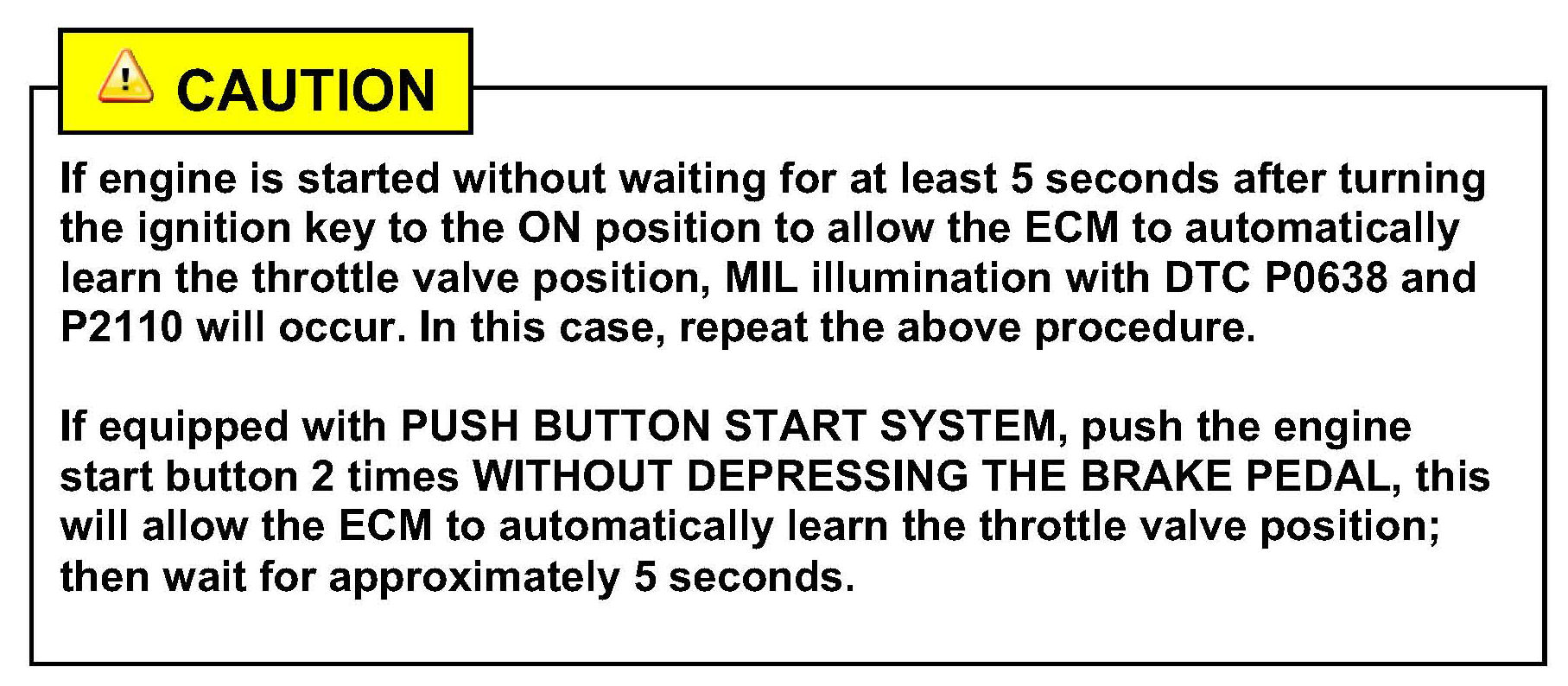
Optima (TF),
Sportage (SL)
2011 MY with 2.0L
T-GDI engines
DATE
March 2011
SUBJECT:
SERVICE ACTION: ECM UPGRADE - MIL ON WITH DTC P2237 (SA069)
This bulletin provides information for ECM software upgrade of some 2011 MY Optima (TF) vehicles produced from December 24, 2010 - March 3, 2011 and Sportage (SL) vehicles produced from December 30, 2010 - March 8, 2011 with 2.0L T-GDI engines which may experience a Malfunction Indicator Lamp illuminated with the ECM (Electronic Control Module) system-related DTC P2237. DTC logic improvement is included in this ECU upgrade. For confirmation that the latest reflash has been done to a vehicle you are working on verity ROM ID using the tables in this TSB. To ensure maximum customer satisfaction Kia is requesting the completion of this Service Action on all affected 2011 Optima (TF) and Sportage (SL) vehicles.
- P223702 Sensor Pumping Current Circuit/Open (Bank 1 Sensor 1)
To correct this condition the PCM should be reprogrammed using the GDS download as described in this bulletin.
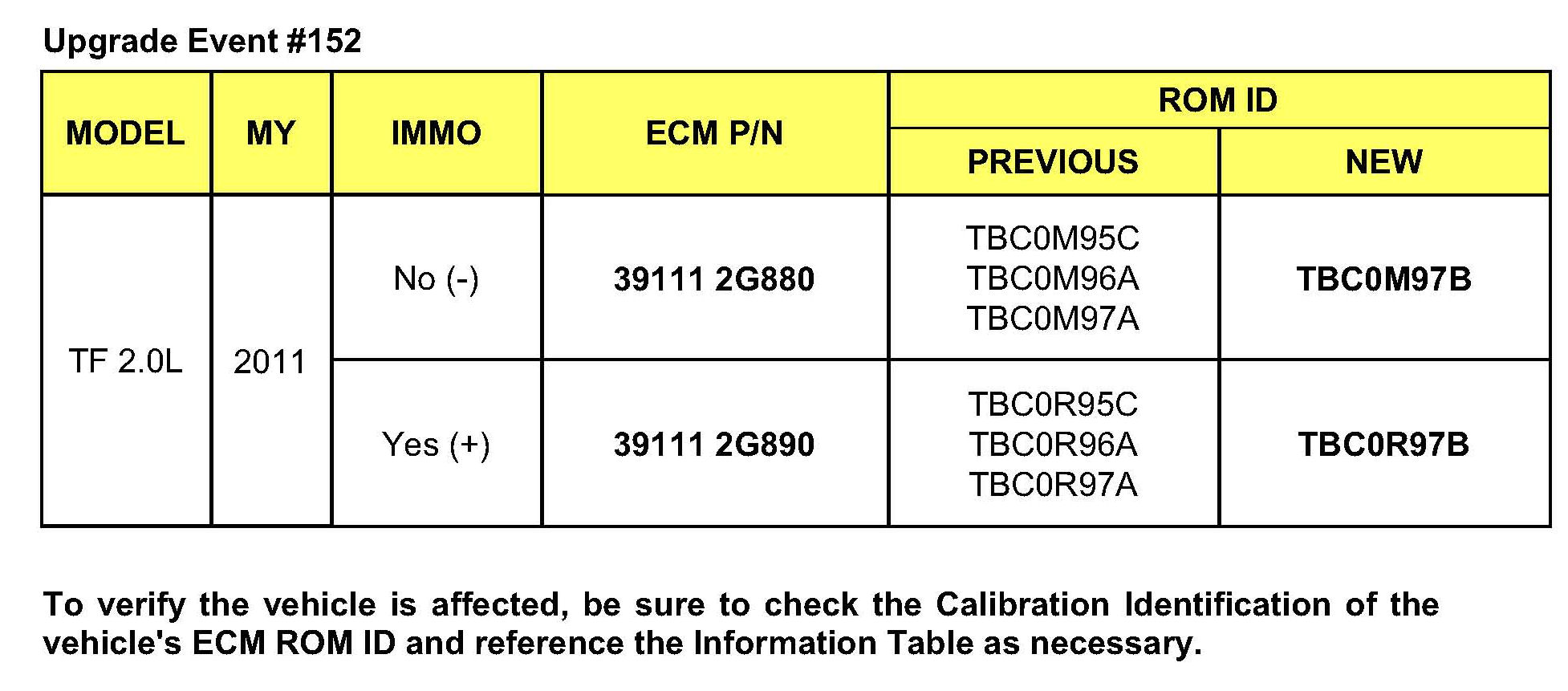
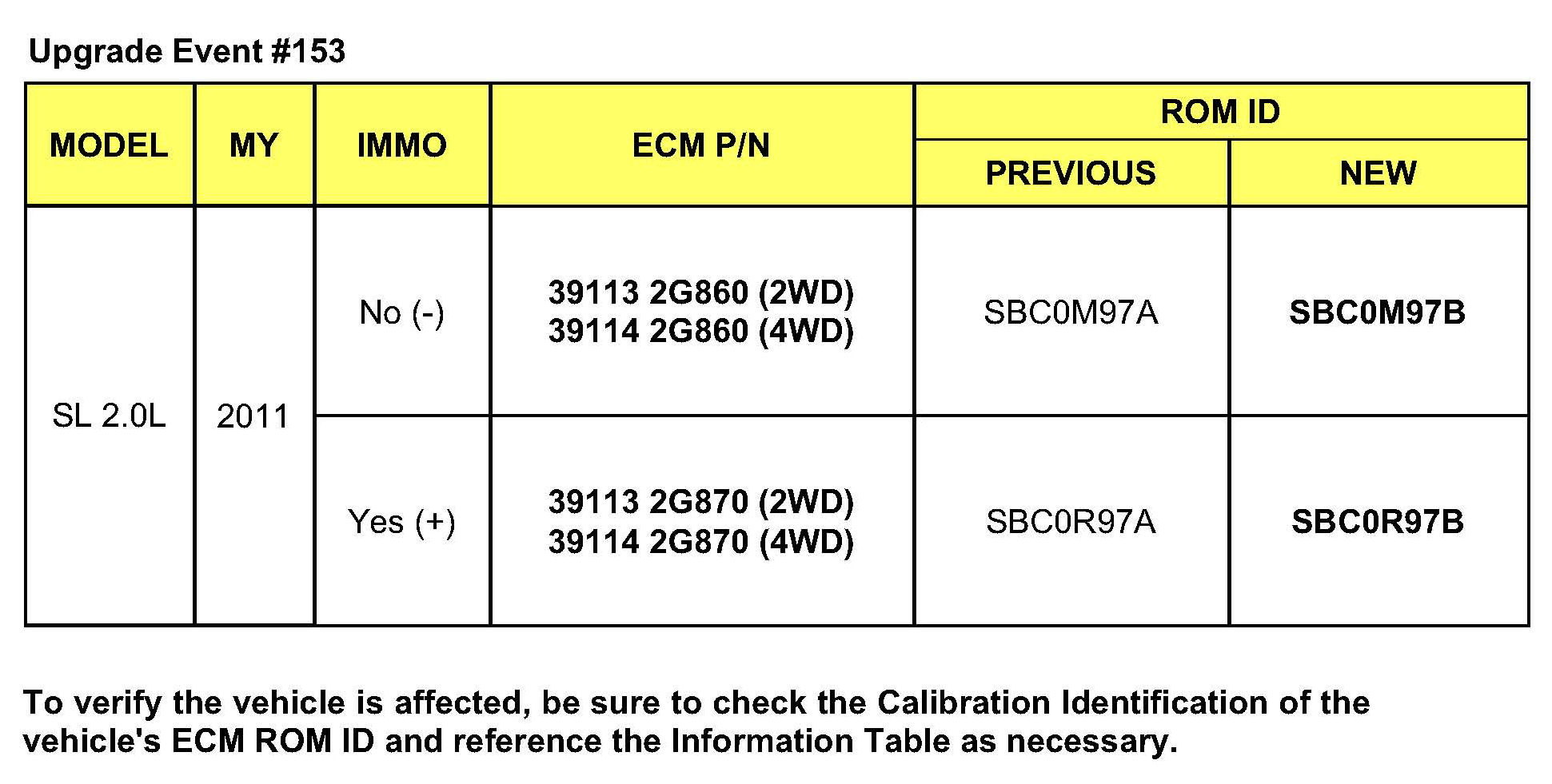
ROM ID INFORMATION TABLES:
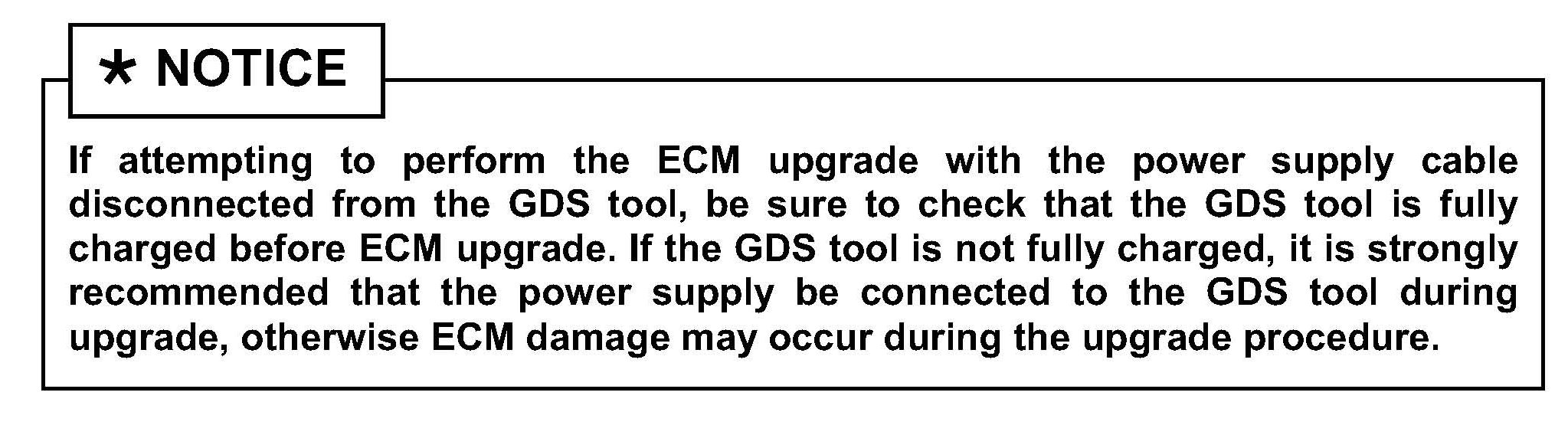
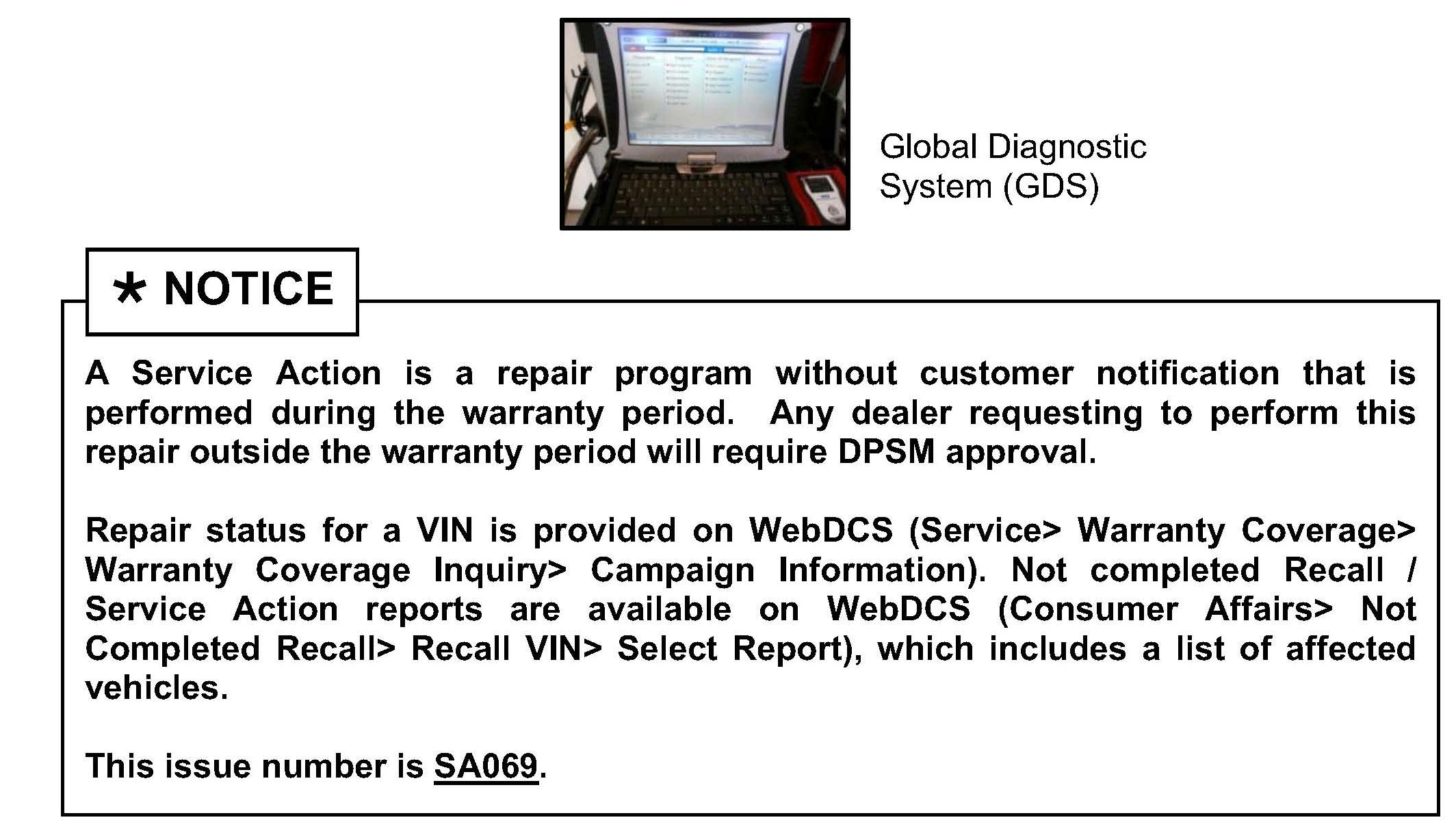
1. Connect the power supply cable to the GDS tool.
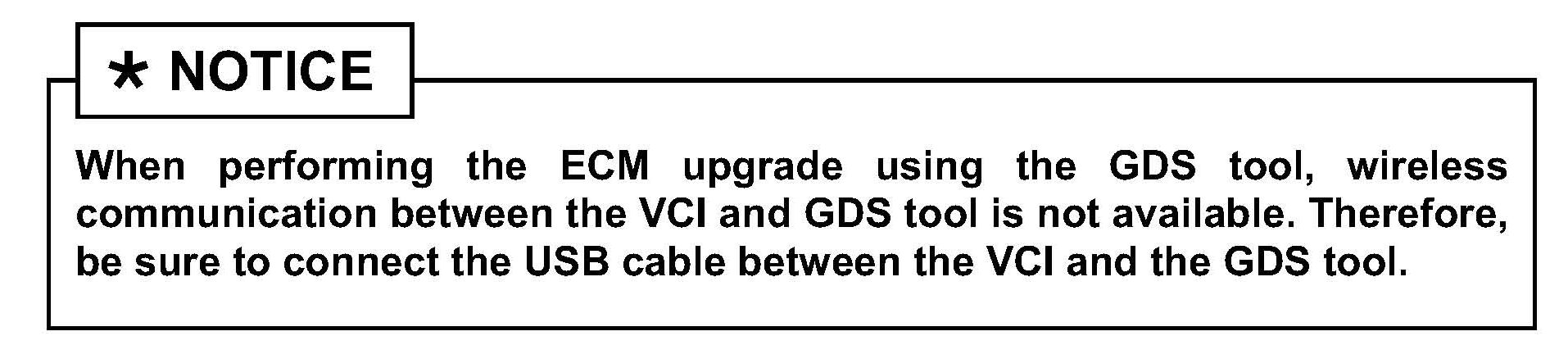
2. Connect the USB cable between the VCI and the GDS tool.
3. Connect the Main 16-pin DLC cable (GHDM - 241000) to the VCI.
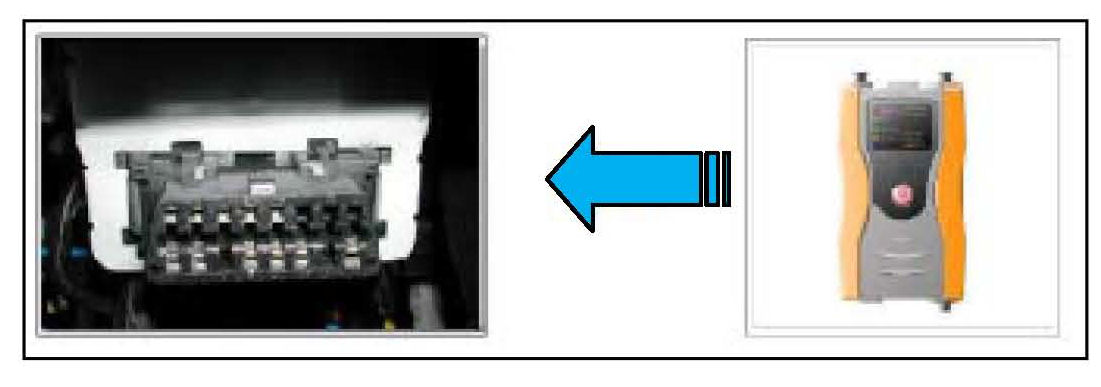
4. Connect the Main 16~pin DLC cable (GHDM - 241000) to the OBD connector located under the drivers side of the instrument panel
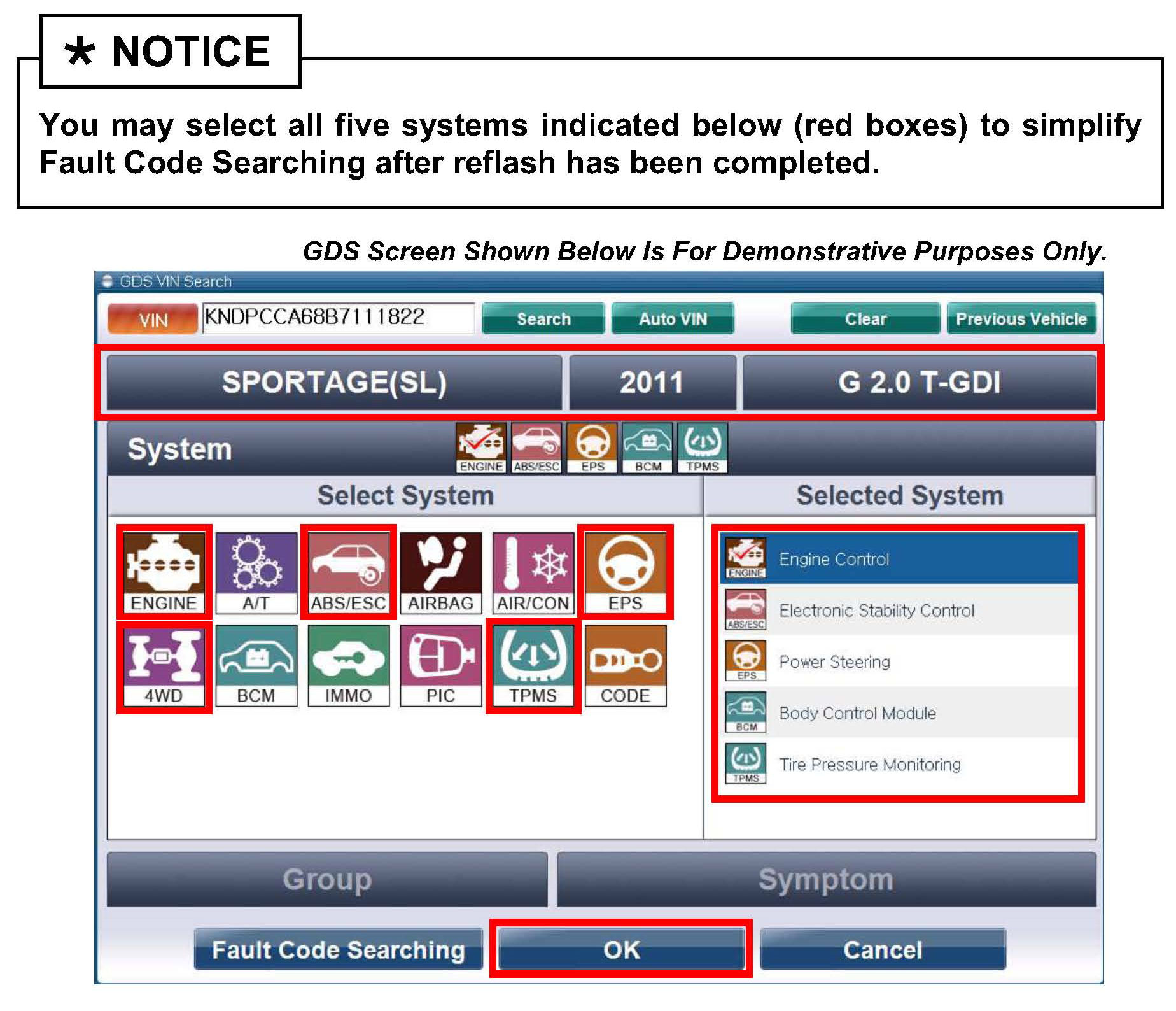
5. With the ignition key ON, turn ON the VCI and GDS tool. Access the GDS vehicle identification number (VIN) screen and configure the vehicle using the Auto VIN Function.

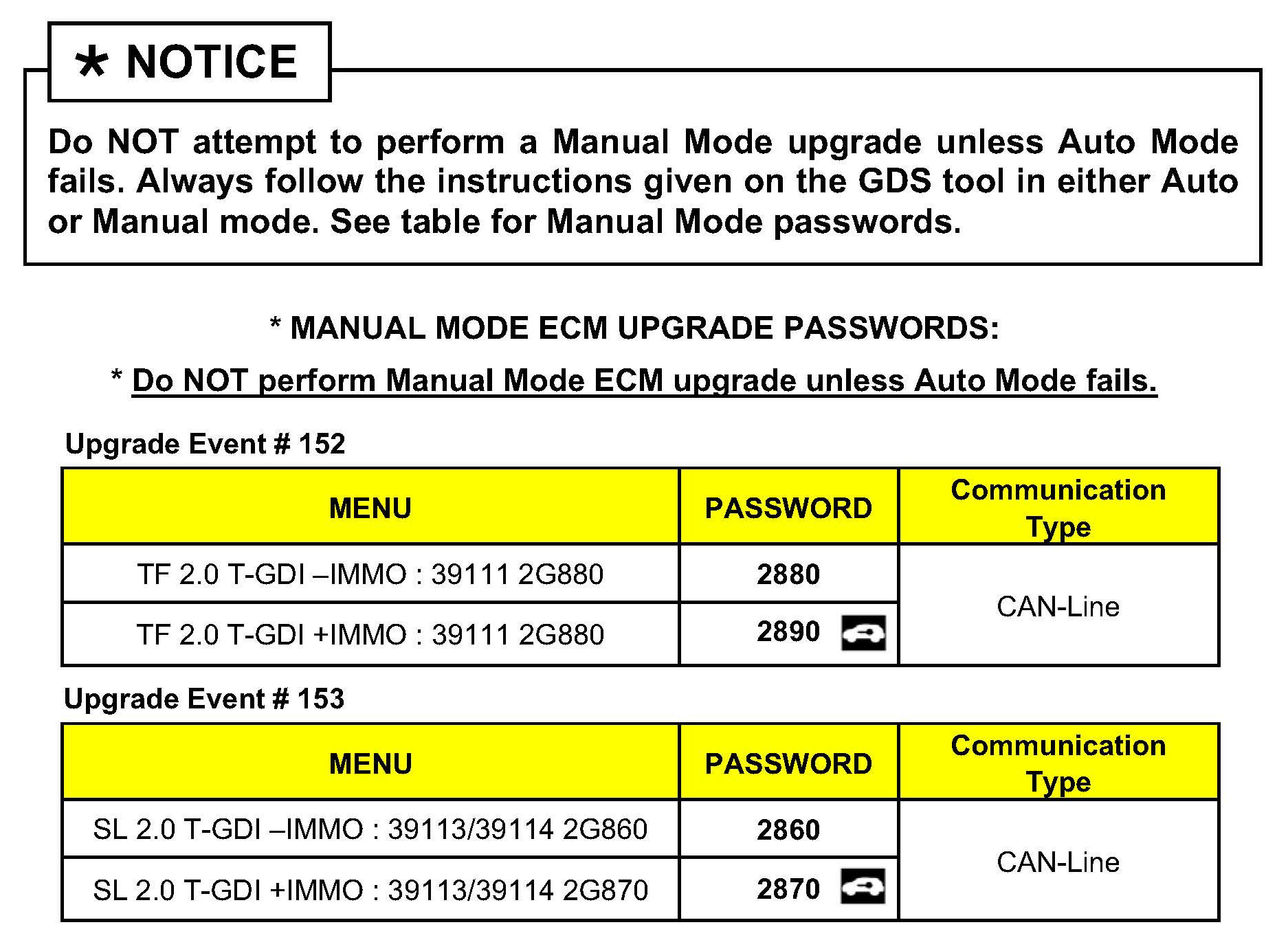
6. Once back at the GDS Main Screen, select ECU Upgrade from the bottom right-hand corner. Next select Auto Mode, and then Engine. Perform the ECM upgrade in accordance with normal GDS tool ECM upgrade procedures.
7. When the GDS tool reports that the ECM Upgrade has been successfully completed click OK; then turn oft the ignition key and wait at least 10 seconds before turning the ignition back to the ON position (DO NOT START THE ENGINE). The GDS should indicate that "The ECU Upgrade is Successfully Finished" and provide the New ROM ID.

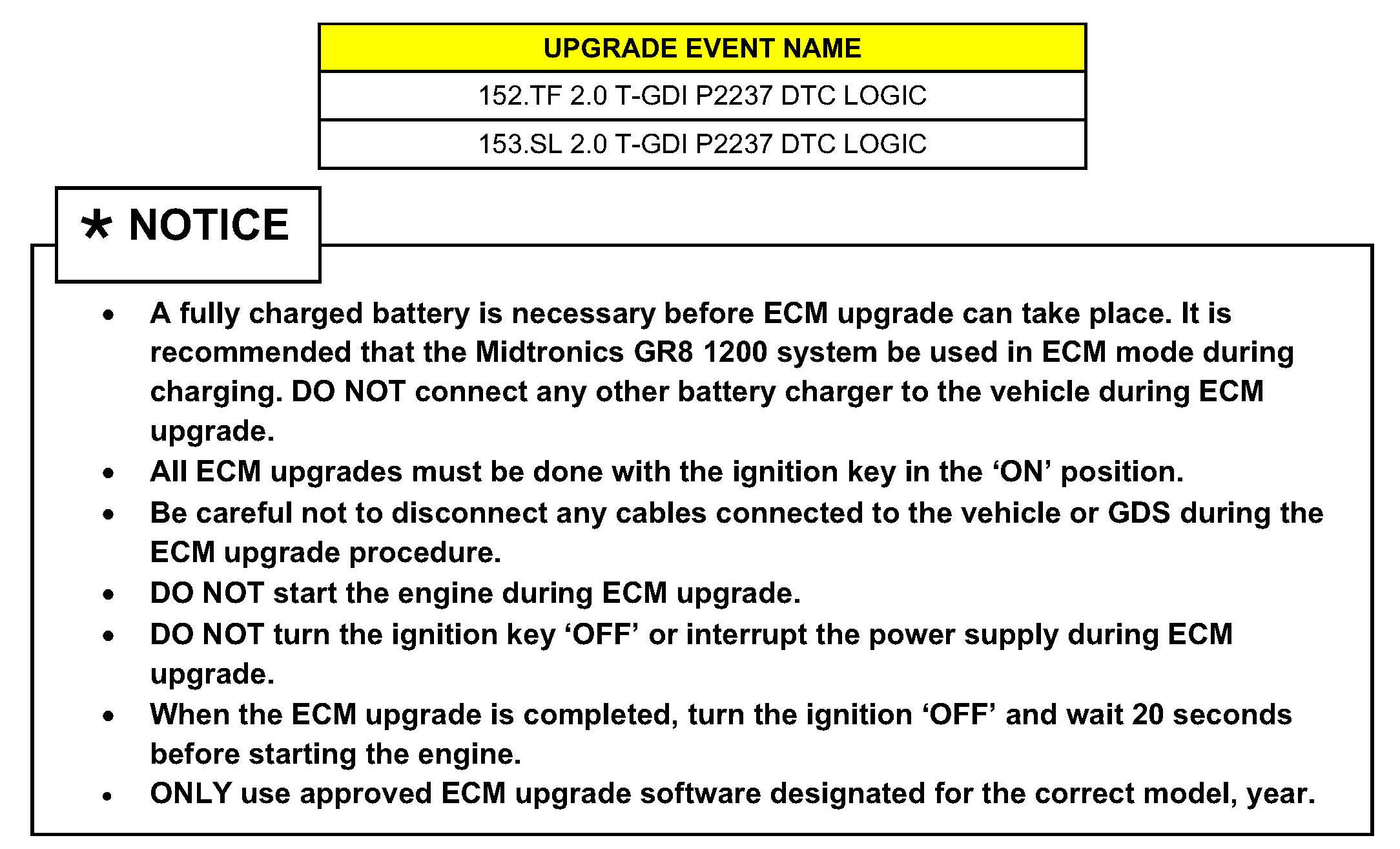
8. Previously selecting systems indicated by the Notice below step 5 will make it easier to complete this step. No need to close, just select Fault Code Search. Run Fault Code Searching to erase any DTCs such as EPS ESC and TPMS. Due to CAN BUS multiple DTCs may be set during reprogramming.
9. After performing software upgrade the ETC adaptive value must be reset / relearned before the engine is restarted. It engine is started without resetting / relearning the ETC adaptive values DTCs P0638 or P2110 may be stored in the ECM memory and the MIL will be illuminated. Please refer to TSB: ENG 078 for complete details.
Reset / Relearn ETC Adaptive Value Procedure Using GDS:
10. After DTC Fault Code Searching and Erasing of any CAN DTCS has been completed select Option/Data Treatment.
11. Select Resetting Adaptive Values.
12. Select Reset; then wait 10 seconds after turning key off (Relay OFF).
13. Wait for 5 seconds after turning ignition ON (ETC adaptive value relearn).

Notice
14. Start engine.
15. Recheck for DTC(s).
Caution
Affected Vehicle Production Range:
2011 Optima (TF) w/2.0L T-GDI produced from December 24, 2011 - March 3, 2011
2011 Sportage (SL) w/2.0L T-GDI produced from December 30, 2010 - March 8, 2011
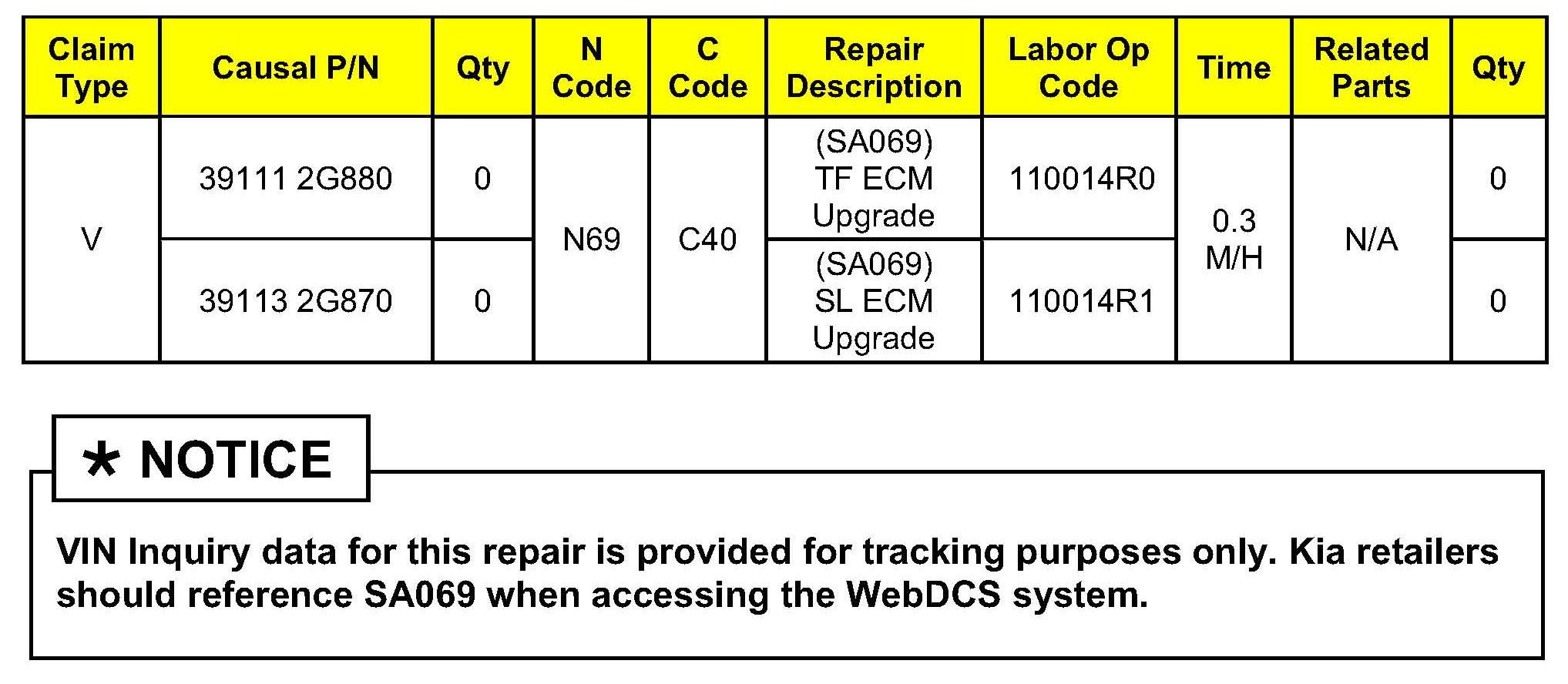
Service Action Warranty Claim Information:
Engine
NUMBER
096
MODEL
Optima (TF),
Sportage (SL)
2011 MY with 2.0L
T-GDI engines
DATE
March 2011
SUBJECT:
SERVICE ACTION: ECM UPGRADE - MIL ON WITH DTC P2237 (SA069)
This bulletin provides information for ECM software upgrade of some 2011 MY Optima (TF) vehicles produced from December 24, 2010 - March 3, 2011 and Sportage (SL) vehicles produced from December 30, 2010 - March 8, 2011 with 2.0L T-GDI engines which may experience a Malfunction Indicator Lamp illuminated with the ECM (Electronic Control Module) system-related DTC P2237. DTC logic improvement is included in this ECU upgrade. For confirmation that the latest reflash has been done to a vehicle you are working on verity ROM ID using the tables in this TSB. To ensure maximum customer satisfaction Kia is requesting the completion of this Service Action on all affected 2011 Optima (TF) and Sportage (SL) vehicles.
- P223702 Sensor Pumping Current Circuit/Open (Bank 1 Sensor 1)
To correct this condition the PCM should be reprogrammed using the GDS download as described in this bulletin.
ROM ID INFORMATION TABLES:
1. Connect the power supply cable to the GDS tool.
2. Connect the USB cable between the VCI and the GDS tool.
3. Connect the Main 16-pin DLC cable (GHDM - 241000) to the VCI.
4. Connect the Main 16~pin DLC cable (GHDM - 241000) to the OBD connector located under the drivers side of the instrument panel
5. With the ignition key ON, turn ON the VCI and GDS tool. Access the GDS vehicle identification number (VIN) screen and configure the vehicle using the Auto VIN Function.
6. Once back at the GDS Main Screen, select ECU Upgrade from the bottom right-hand corner. Next select Auto Mode, and then Engine. Perform the ECM upgrade in accordance with normal GDS tool ECM upgrade procedures.
7. When the GDS tool reports that the ECM Upgrade has been successfully completed click OK; then turn oft the ignition key and wait at least 10 seconds before turning the ignition back to the ON position (DO NOT START THE ENGINE). The GDS should indicate that "The ECU Upgrade is Successfully Finished" and provide the New ROM ID.
8. Previously selecting systems indicated by the Notice below step 5 will make it easier to complete this step. No need to close, just select Fault Code Search. Run Fault Code Searching to erase any DTCs such as EPS ESC and TPMS. Due to CAN BUS multiple DTCs may be set during reprogramming.
9. After performing software upgrade the ETC adaptive value must be reset / relearned before the engine is restarted. It engine is started without resetting / relearning the ETC adaptive values DTCs P0638 or P2110 may be stored in the ECM memory and the MIL will be illuminated. Please refer to TSB: ENG 078 for complete details.
Reset / Relearn ETC Adaptive Value Procedure Using GDS:
10. After DTC Fault Code Searching and Erasing of any CAN DTCS has been completed select Option/Data Treatment.
11. Select Resetting Adaptive Values.
12. Select Reset; then wait 10 seconds after turning key off (Relay OFF).
13. Wait for 5 seconds after turning ignition ON (ETC adaptive value relearn).
Notice
14. Start engine.
15. Recheck for DTC(s).
Caution
Affected Vehicle Production Range:
2011 Optima (TF) w/2.0L T-GDI produced from December 24, 2011 - March 3, 2011
2011 Sportage (SL) w/2.0L T-GDI produced from December 30, 2010 - March 8, 2011
Service Action Warranty Claim Information:
Factory Service Tools
Use the Manual With the Right Hardware
Pair factory procedures with proven DIY tools so the instructions are easier to execute.
Disclosure: Verified tool recommendations may earn an affiliate commission at no cost to you.
When to See a Mechanic
Stop DIY work and contact a certified mechanic immediately if any of the following apply:
- • You smell fuel, burning insulation, or see smoke.
- • Brakes feel soft, pull hard to one side, or make grinding noises.
- • The engine overheats, stalls repeatedly, or misfires under load.
- • You are missing required tools, torque specs, or safe lifting equipment.
- • You are not confident in the next step or safety outcome.