
Safety Warning
DIY auto repair can cause serious injury, fire, or vehicle damage. These guides are for informational purposes only. Always follow OEM torque specs, wear PPE, and consult a certified mechanic if you are unsure. You are solely responsible for your safety.
2010 Kia Forte L4-2.0LFACTORY OEM SERVICE PROCEDURE
Campaign SA020 - PCM Update For A/T Shift Hesitation
Model: Forte [TD]
Group: Automatic Transaxle(52)
Number: KT2009102702
Date: Tuesday, October 27, 2009
Area: N. America
Subject
Service Action: PCM Upgrade - Shift Hesitation and Shift
Delay Improvement with 2.0L and 4 Speed A/T (SA020)
(Trans - 030)
- Description

KMA is conducting a Service Action in relation to some 2010 MY Forte / Koup models equipped with 2.0L Theta engine and 4
speed automatic transaxles. Some FORTE (TD) vehicles may experience slight shift hesitation and/or transaxle shift delay. This
ECU upgrade applies to vehicles produced prior to October 30, 2009. The Transmission Control Module (TCM) is an integral part
of the PCM and should be noted as the TCM is referenced in this document.
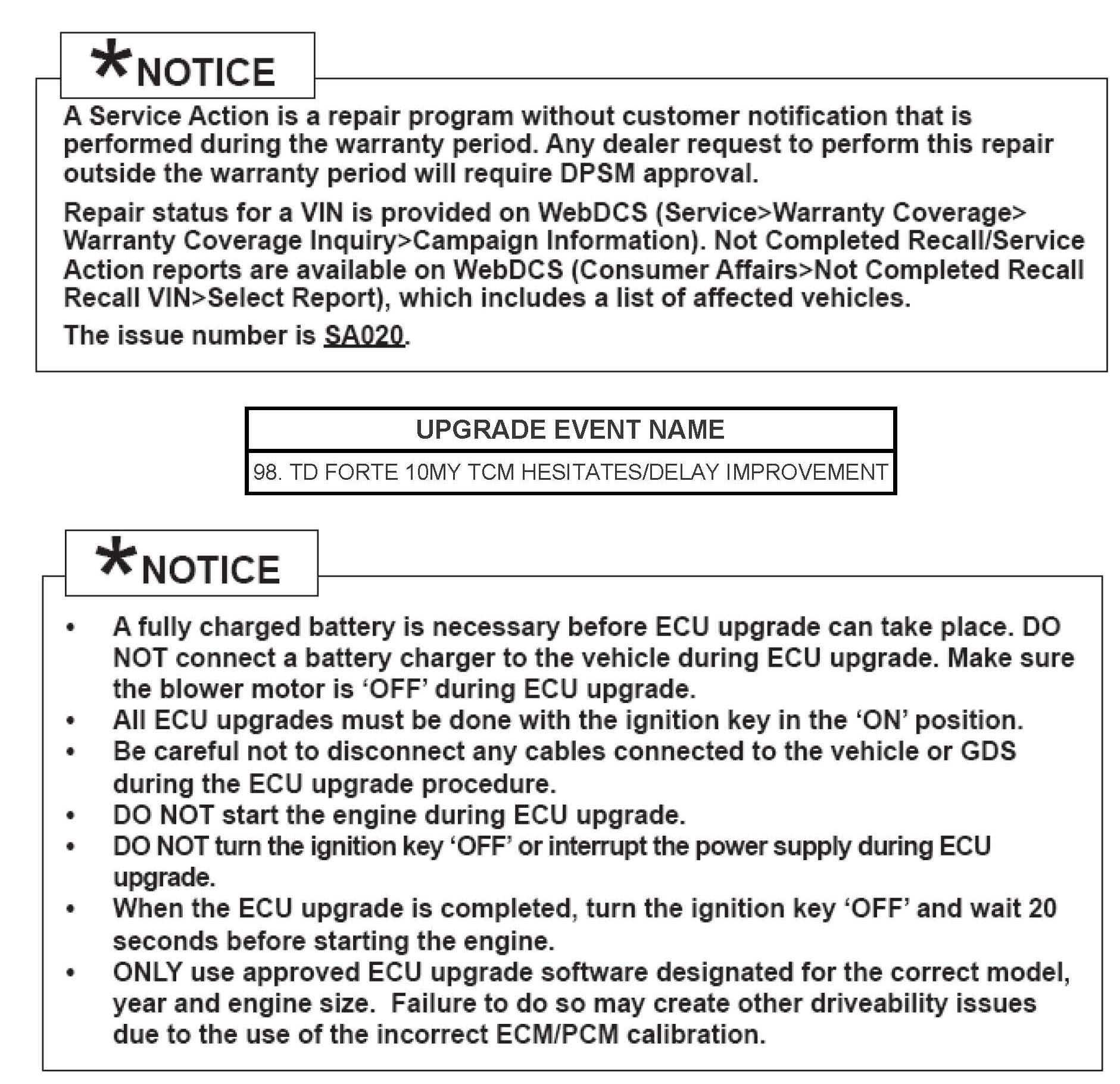
To correct this condition, the PCM should be reprogrammed using the GDS download as described in this bulletin.
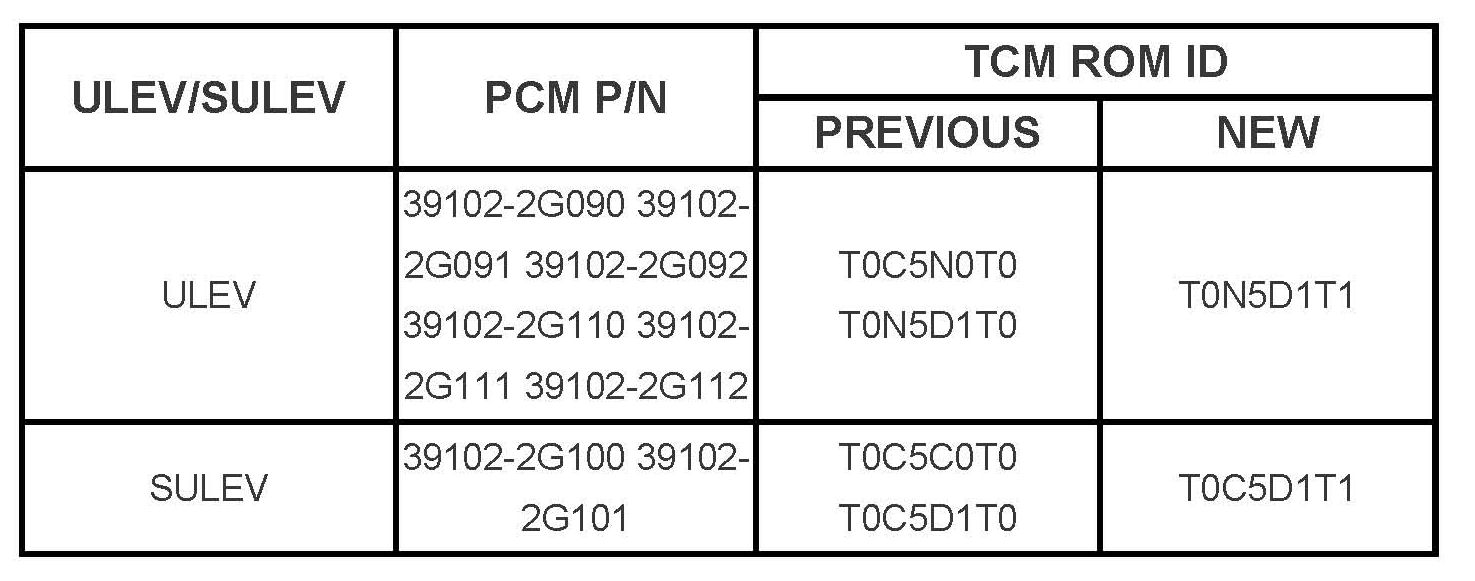
ROM Tables:
- To verify the vehicle is affected, check the Calibration Identification of the vehicle's PCM and reference the Information Table as necessary.
- Effective Vehicle Information
AFFECTED PRODUCTION RANGE:
2010 Forte (TD) / Koup vehicles equipped with 2.0L engine and 4 speed automatic transaxles built prior to 10/30/2009.
- Service Procedure
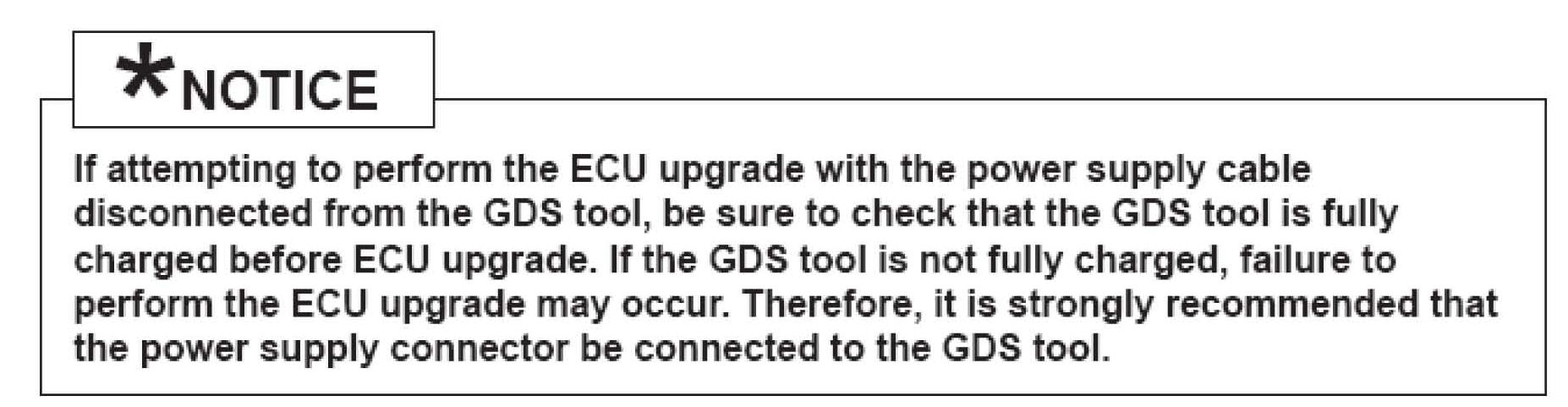
1. Connect the power supply cable to the GDS tool.

2. Connect the USB cable between the VCI and the GDS tool.

3. Connect the Main 16-pin DLC cable (GHDM - 241000) to the VCI.
4. Connect the Main 16-pin DLC cable (GHDM - 241000) to the OBD-II connector, located under the driver's side of the instrument panel.
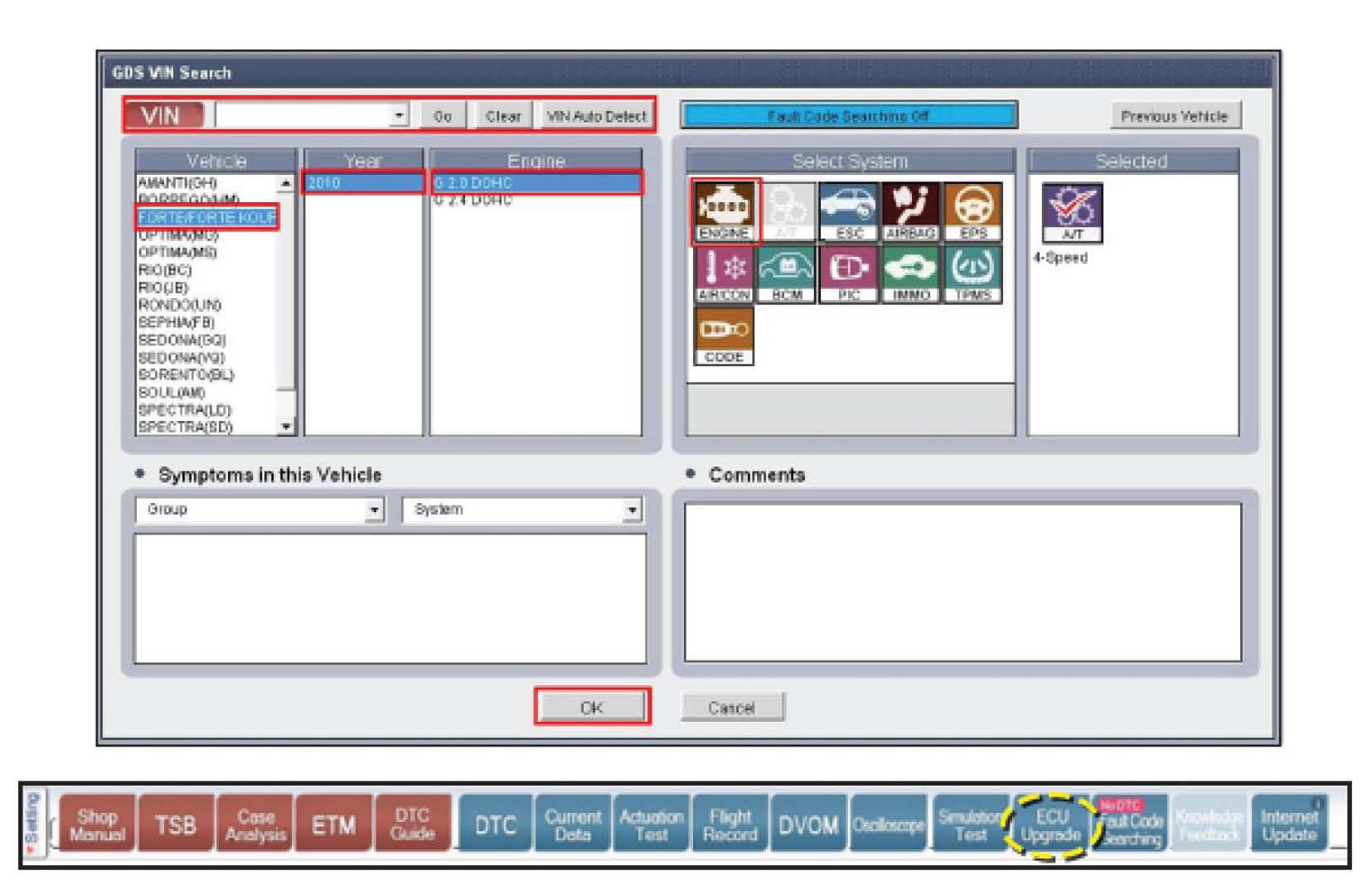
5. With the ignition key ON, turn ON the VCI and GDS tool. Access the GDS vehicle identification number (VIN) screen and configure the vehicle using the VIN AUTO DETECT Function.
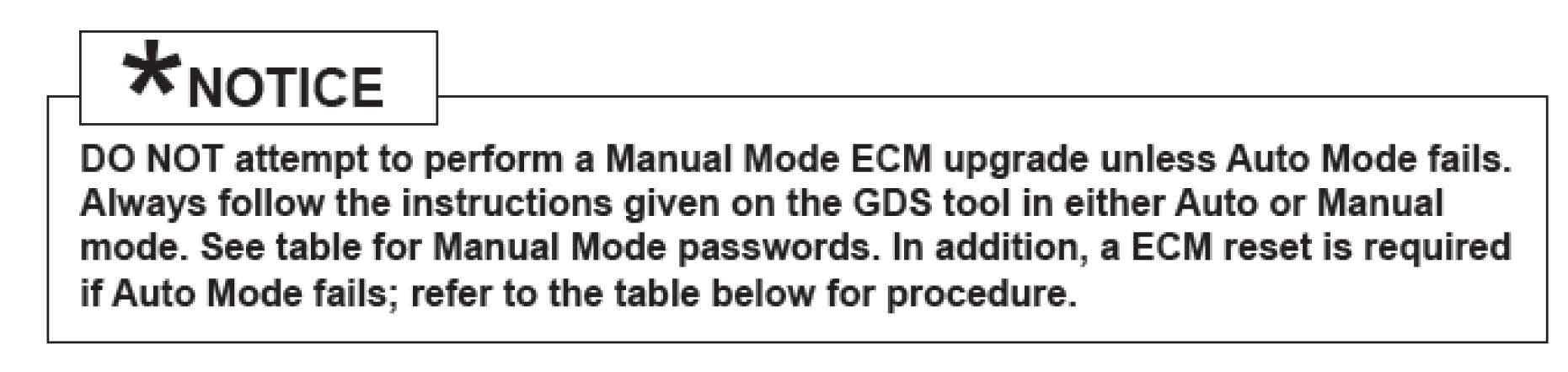
6. Once back at the GDS Main Screen, select ECM upgrade from the bottom right-hand corner. Next select Auto Mode, Engine.
Perform the ECM upgrade in accordance with normal tool ECM upgrade procedures.

MANUAL MODE ECM UPGRADE PASSWORDS:
* Do NOT perform Manual Mode ECM upgrade unless Auto Mode fails.
7. When the GDS tool reports that the ECM upgrade has been successfully completed, click OK, turn OFF the ignition key, and wait at least 10 seconds before attempting to start the engine.

8. Check for Diagnostic Trouble Codes using the GDS and erase any DTCs stored in the Engine and Transaxle control modules.
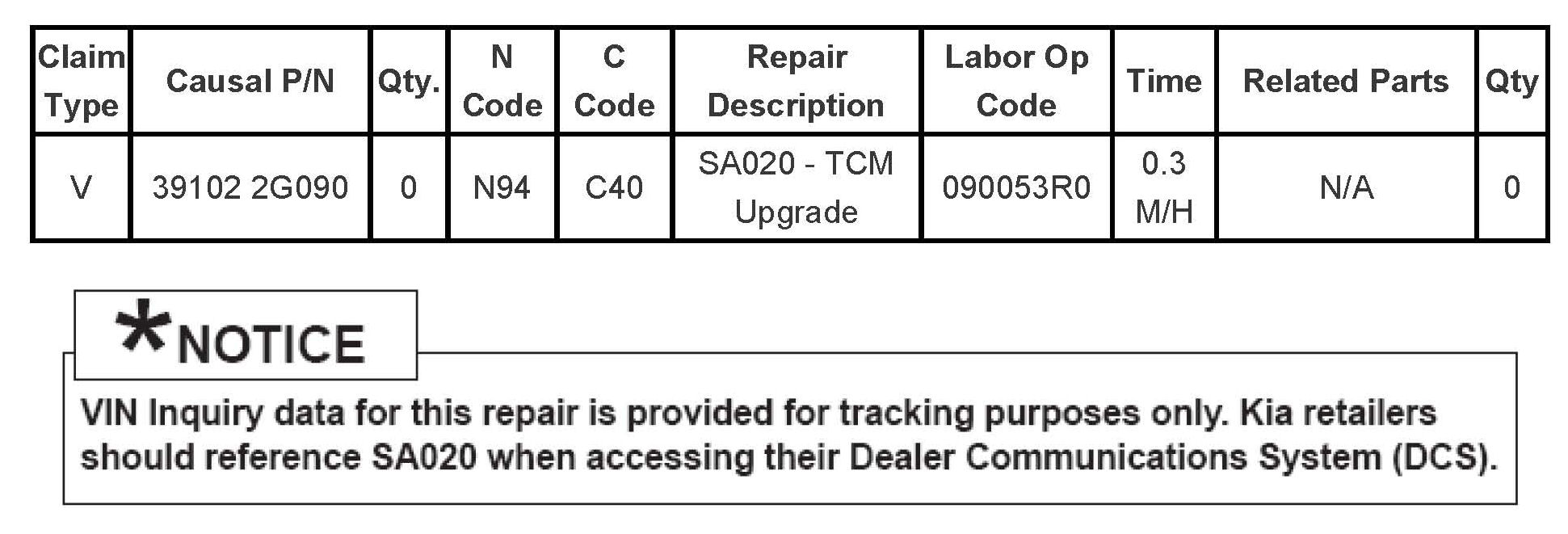
WARRANTY CLAIM INFORMATION:
Group: Automatic Transaxle(52)
Number: KT2009102702
Date: Tuesday, October 27, 2009
Area: N. America
Subject
Service Action: PCM Upgrade - Shift Hesitation and Shift
Delay Improvement with 2.0L and 4 Speed A/T (SA020)
(Trans - 030)
- Description
KMA is conducting a Service Action in relation to some 2010 MY Forte / Koup models equipped with 2.0L Theta engine and 4
speed automatic transaxles. Some FORTE (TD) vehicles may experience slight shift hesitation and/or transaxle shift delay. This
ECU upgrade applies to vehicles produced prior to October 30, 2009. The Transmission Control Module (TCM) is an integral part
of the PCM and should be noted as the TCM is referenced in this document.
To correct this condition, the PCM should be reprogrammed using the GDS download as described in this bulletin.
ROM Tables:
- To verify the vehicle is affected, check the Calibration Identification of the vehicle's PCM and reference the Information Table as necessary.
- Effective Vehicle Information
AFFECTED PRODUCTION RANGE:
2010 Forte (TD) / Koup vehicles equipped with 2.0L engine and 4 speed automatic transaxles built prior to 10/30/2009.
- Service Procedure
1. Connect the power supply cable to the GDS tool.
2. Connect the USB cable between the VCI and the GDS tool.
3. Connect the Main 16-pin DLC cable (GHDM - 241000) to the VCI.
4. Connect the Main 16-pin DLC cable (GHDM - 241000) to the OBD-II connector, located under the driver's side of the instrument panel.
5. With the ignition key ON, turn ON the VCI and GDS tool. Access the GDS vehicle identification number (VIN) screen and configure the vehicle using the VIN AUTO DETECT Function.
6. Once back at the GDS Main Screen, select ECM upgrade from the bottom right-hand corner. Next select Auto Mode, Engine.
Perform the ECM upgrade in accordance with normal tool ECM upgrade procedures.
MANUAL MODE ECM UPGRADE PASSWORDS:
* Do NOT perform Manual Mode ECM upgrade unless Auto Mode fails.
7. When the GDS tool reports that the ECM upgrade has been successfully completed, click OK, turn OFF the ignition key, and wait at least 10 seconds before attempting to start the engine.
8. Check for Diagnostic Trouble Codes using the GDS and erase any DTCs stored in the Engine and Transaxle control modules.
WARRANTY CLAIM INFORMATION:
Factory Service Tools
Use the Manual With the Right Hardware
Pair factory procedures with proven DIY tools so the instructions are easier to execute.
Disclosure: Verified tool recommendations may earn an affiliate commission at no cost to you.
When to See a Mechanic
Stop DIY work and contact a certified mechanic immediately if any of the following apply:
- • You smell fuel, burning insulation, or see smoke.
- • Brakes feel soft, pull hard to one side, or make grinding noises.
- • The engine overheats, stalls repeatedly, or misfires under load.
- • You are missing required tools, torque specs, or safe lifting equipment.
- • You are not confident in the next step or safety outcome.