
Safety Warning
DIY auto repair can cause serious injury, fire, or vehicle damage. These guides are for informational purposes only. Always follow OEM torque specs, wear PPE, and consult a certified mechanic if you are unsure. You are solely responsible for your safety.
2001 Hyundai Santa Fe L4-2.4LFACTORY OEM SERVICE PROCEDURE
Automatic Update Procedure
1. Remove the current system software card from the Hi-Scan Pro and insert the reprogramming software card into the Hi-Scan Pro top slot.
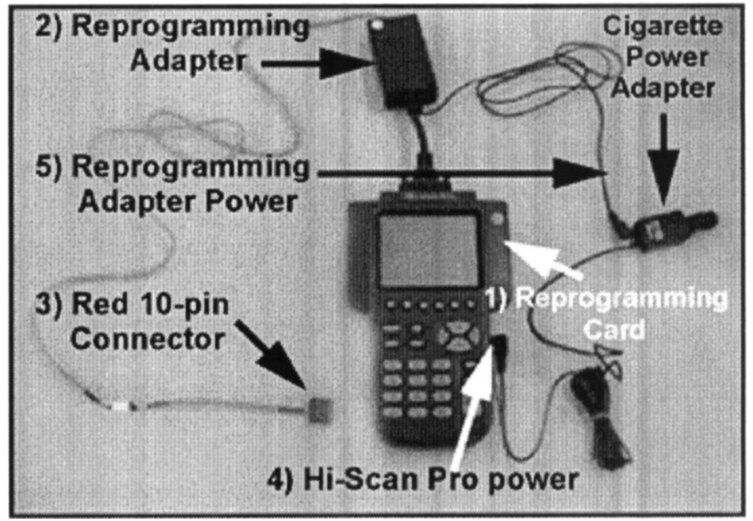
2. Connect the reprogramming adapter to the Hi-Scan Pro.
3. Connect the red 10-pin connector to the reprogramming adapter.
4. Connect power to the Hi-Scan Pro from the cigarette power adapter.
5. Insert the power cable from the reprogramming adapter into the cigarette power adapter.
6. Connect the cigarette power adapter into the vehicle cigarette power socket.

7. Connect the red 10-pin connector from the reprogramming adapter into the white connector below and behind the Data Link Connector (DLC).
Location: Under the instrument panel above the driver's right foot.
8. Turn the ignition to the ON position.
9. Turn the Hi-Scan Pro ON.
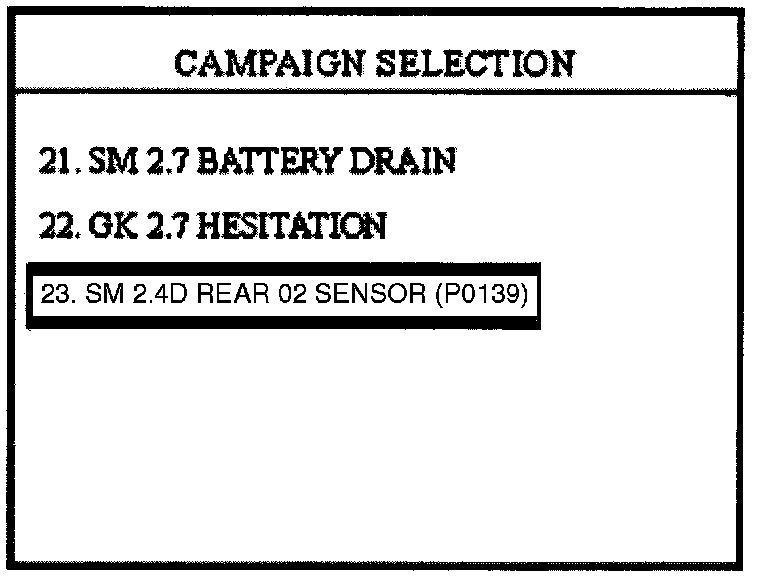
10. Select option "23. SM 2.4D REAR 02 SENSOR (P0139)" and press ENTER.
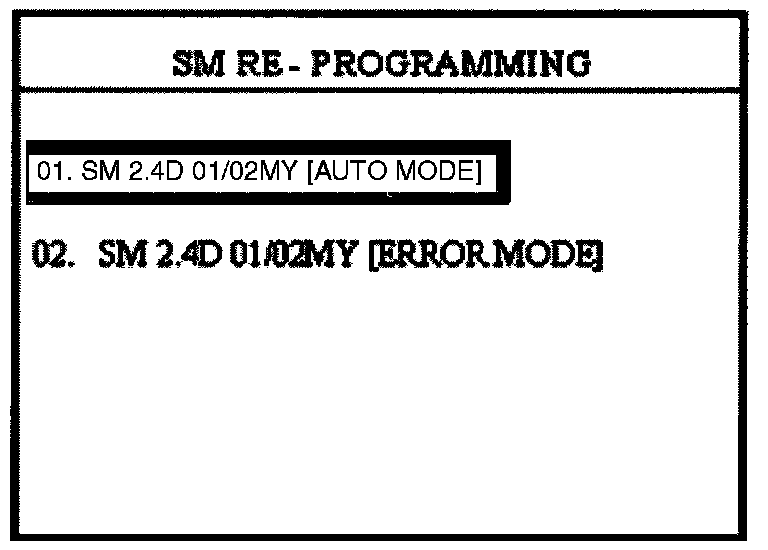
11. Select option "01. SM 2.4D 01/02MY (AUTO MODE]" and press ENTER.

12. Enter "1229" as the password for the automatic update mode and press ENTER.
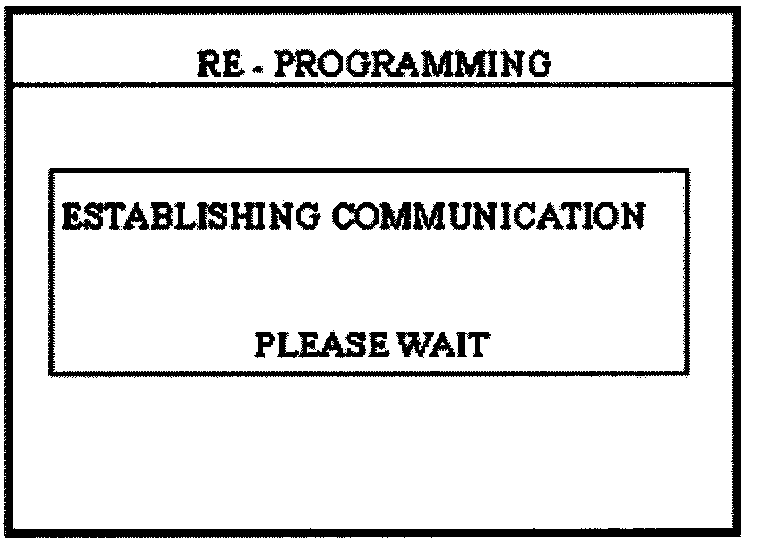
13. The Hi-Scan Pro will establish communication, check the ECM ID, and reprogram the ECM automatically.

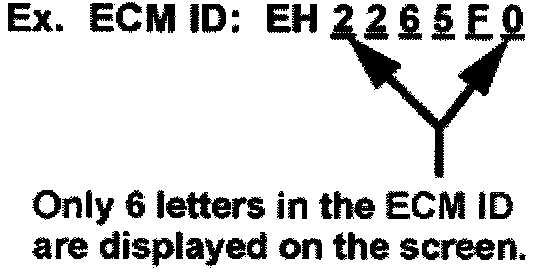
NOTE
The Hi-Scan Pro detects the current ECM ID and displays it for about 1 second.

14. The boot program will download first, then the main program and the interrupt vector program.
NOTE
^ The current ECM ID Will be replaced by the new ECM ID.
^ To be prepared in case a reprogramming error occurs, write down the old and new ECM IDs displayed on the Hi-Scan Pro screen during the automatic update procedure.
^ The recorded ECM IDs will be used during the Manual Update Procedure if the program does not download correctly.
^ If the Hi-Scan Pro does not download the program properly, use the Manual Update Procedure following this section.
WARNING
Do not interrupt the reprogramming at any time. The ECM will be rendered inoperative if the program does not download completely.
15. Hi-Scan Pro establishes communication.
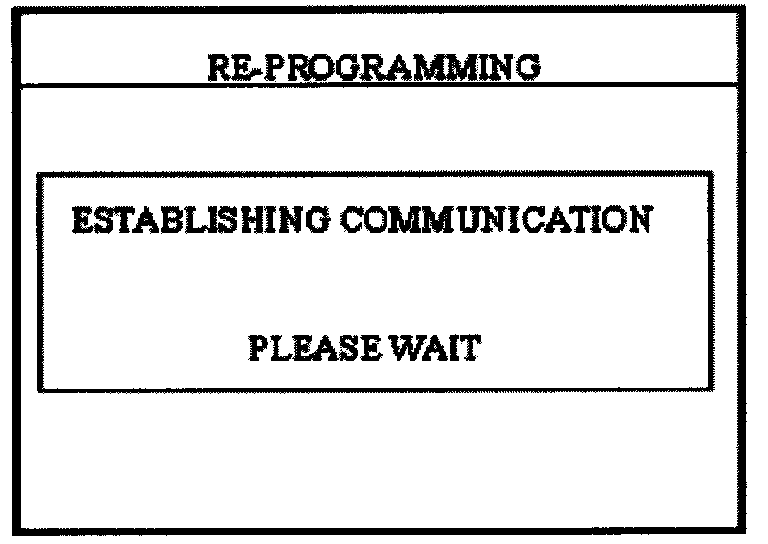
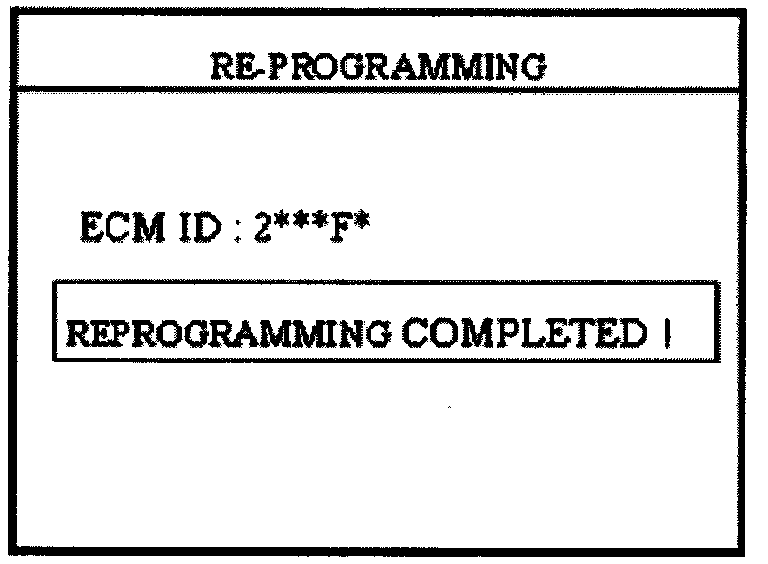
16. When the REPROGRAMMING COMPLETED message is displayed, the ECM reprogramming process is complete.
NOTE
^ The new ECM ID is displayed when the new ECM software download process is complete.
^ Check the new ECM ID displayed on the Hi-Scan Pro screen to verify that the correct ECM software has been downloaded. Refer to the "ECM SPECIFICATION TABLE" for the ECM ID listing.
17. Turn the Hi-Scan Pro off and turn the ignition key to the off position for 10 seconds. Then start the engine to check for proper operation.
2. Connect the reprogramming adapter to the Hi-Scan Pro.
3. Connect the red 10-pin connector to the reprogramming adapter.
4. Connect power to the Hi-Scan Pro from the cigarette power adapter.
5. Insert the power cable from the reprogramming adapter into the cigarette power adapter.
6. Connect the cigarette power adapter into the vehicle cigarette power socket.
7. Connect the red 10-pin connector from the reprogramming adapter into the white connector below and behind the Data Link Connector (DLC).
Location: Under the instrument panel above the driver's right foot.
8. Turn the ignition to the ON position.
9. Turn the Hi-Scan Pro ON.
10. Select option "23. SM 2.4D REAR 02 SENSOR (P0139)" and press ENTER.
11. Select option "01. SM 2.4D 01/02MY (AUTO MODE]" and press ENTER.
12. Enter "1229" as the password for the automatic update mode and press ENTER.
13. The Hi-Scan Pro will establish communication, check the ECM ID, and reprogram the ECM automatically.
NOTE
The Hi-Scan Pro detects the current ECM ID and displays it for about 1 second.
14. The boot program will download first, then the main program and the interrupt vector program.
NOTE
^ The current ECM ID Will be replaced by the new ECM ID.
^ To be prepared in case a reprogramming error occurs, write down the old and new ECM IDs displayed on the Hi-Scan Pro screen during the automatic update procedure.
^ The recorded ECM IDs will be used during the Manual Update Procedure if the program does not download correctly.
^ If the Hi-Scan Pro does not download the program properly, use the Manual Update Procedure following this section.
WARNING
Do not interrupt the reprogramming at any time. The ECM will be rendered inoperative if the program does not download completely.
15. Hi-Scan Pro establishes communication.
16. When the REPROGRAMMING COMPLETED message is displayed, the ECM reprogramming process is complete.
NOTE
^ The new ECM ID is displayed when the new ECM software download process is complete.
^ Check the new ECM ID displayed on the Hi-Scan Pro screen to verify that the correct ECM software has been downloaded. Refer to the "ECM SPECIFICATION TABLE" for the ECM ID listing.
17. Turn the Hi-Scan Pro off and turn the ignition key to the off position for 10 seconds. Then start the engine to check for proper operation.
Factory Service Tools
Use the Manual With the Right Hardware
Pair factory procedures with proven DIY tools so the instructions are easier to execute.
Disclosure: Verified tool recommendations may earn an affiliate commission at no cost to you.
When to See a Mechanic
Stop DIY work and contact a certified mechanic immediately if any of the following apply:
- • You smell fuel, burning insulation, or see smoke.
- • Brakes feel soft, pull hard to one side, or make grinding noises.
- • The engine overheats, stalls repeatedly, or misfires under load.
- • You are missing required tools, torque specs, or safe lifting equipment.
- • You are not confident in the next step or safety outcome.