
Safety Warning
DIY auto repair can cause serious injury, fire, or vehicle damage. These guides are for informational purposes only. Always follow OEM torque specs, wear PPE, and consult a certified mechanic if you are unsure. You are solely responsible for your safety.
2011 Ford Transit Connect L4-2.0LFACTORY OEM SERVICE PROCEDURE
Procedures
Ford Work Solutions(TM) Self-Diagnostic Mode
In-Dash Computer Self-Diagnostic Mode
NOTE: It is normal for popping sounds to be heard in the speakers while the in-dash computer is transitioning between modes. This is due to the power cycling of the in-dash computer.
1. Turn the in-dash computer on and navigate to the home screen.
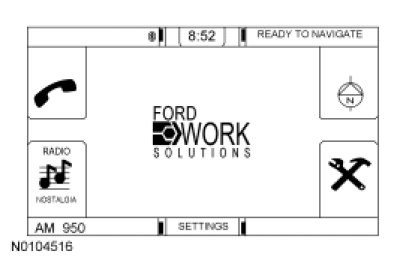
2. Press and hold the power button and the phone button simultaneously for 10 seconds, until the screen goes blank.
- The system automatically restarts in diagnostic mode.
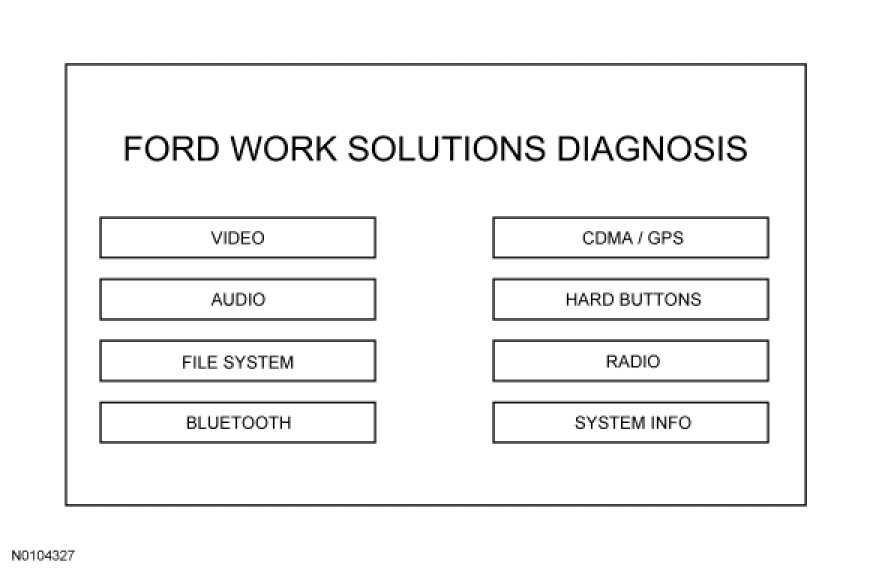
3. The following diagnostic routines are available:
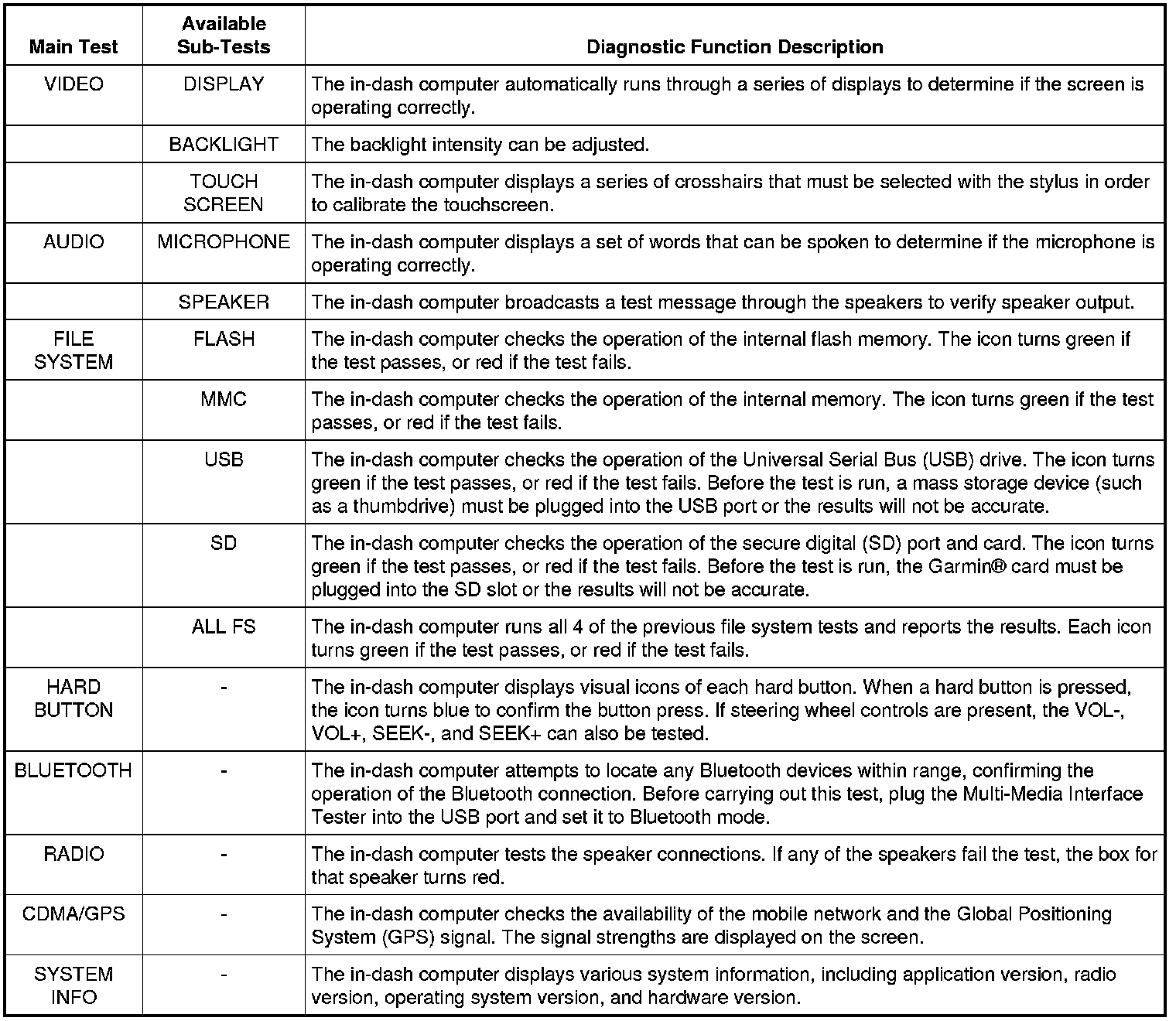
4. To exit the self-diagnostic mode, press and hold the power button for 10 seconds, until the screen goes blank.
- The system automatically restarts in normal mode.
In-Dash Computer Software Level Check
1. Turn the in-dash computer on.
2. Press SETTINGS, then SYSTEM, then scroll down and select the VIEW icon next to the ABOUT selection.
3. The following information (relevant to service) is displayed:
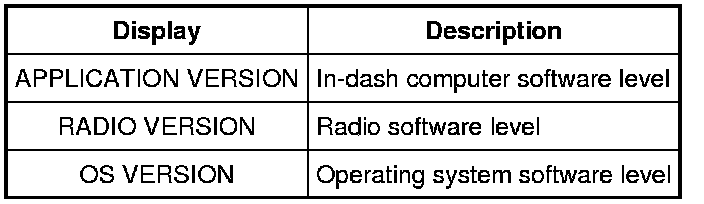
4. If needed, the in-dash computer software level can be compared with the latest software level by checking the Ford Work Solutions(TM) consumer website .
Internet Connection Manager
1. Turn the in-dash computer on.
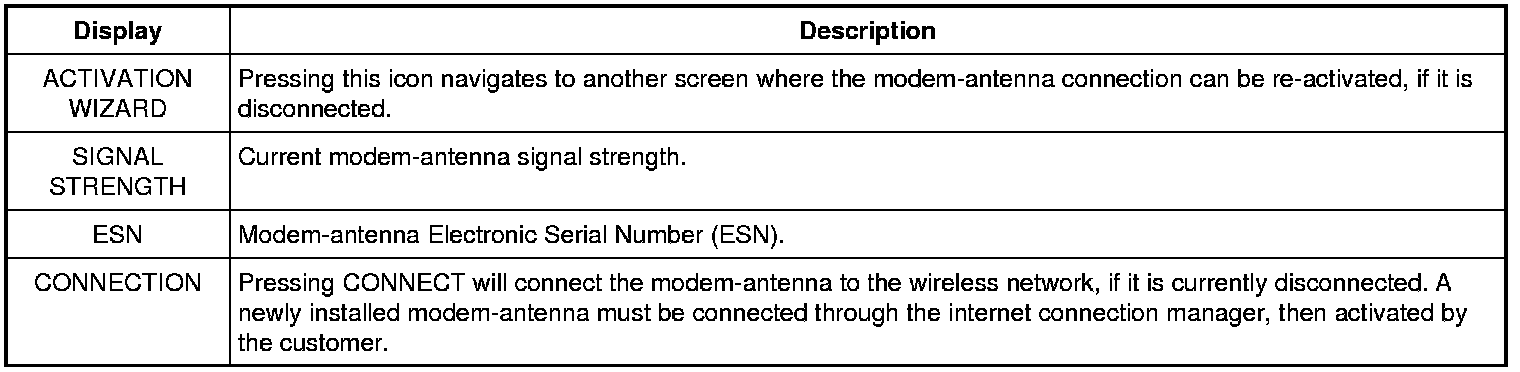
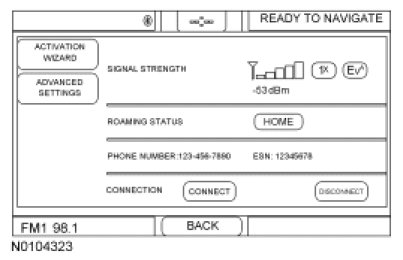
2. Press SETTINGS, then SYSTEM SETTINGS, then scroll down and select the VIEW icon next to the SPRINT CONNECTION MANAGER selection.
3. The following information (relevant to service) is displayed:
Tool Link(TM) Diagnostic Test
1. Turn the in-dash computer on.
2. Press the tool icon at the bottom RH corner of the screen (or press the tool hardkey).
3. Scroll down and select the TOOL LINK icon.
4. Select SERVICES, then STATUS.
5. The following information (relevant to service) is displayed:

Navigation Diagnostic Screen
1. Turn the in-dash computer on.
2. Press the navigation icon at the top RH corner of the screen (or press the navigation hardkey).
3. Press the satellite status icon at the top LH corner of the screen.
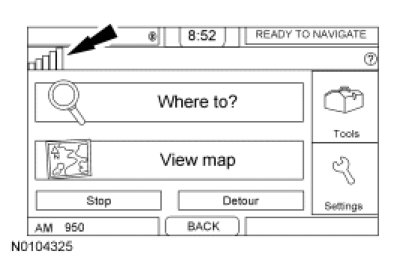
4. A list of the current Global Positioning System (GPS) satellites detected is shown.
Factory Service Tools
Use the Manual With the Right Hardware
Pair factory procedures with proven DIY tools so the instructions are easier to execute.
Disclosure: Verified tool recommendations may earn an affiliate commission at no cost to you.
When to See a Mechanic
Stop DIY work and contact a certified mechanic immediately if any of the following apply:
- • You smell fuel, burning insulation, or see smoke.
- • Brakes feel soft, pull hard to one side, or make grinding noises.
- • The engine overheats, stalls repeatedly, or misfires under load.
- • You are missing required tools, torque specs, or safe lifting equipment.
- • You are not confident in the next step or safety outcome.