
Safety Warning
DIY auto repair can cause serious injury, fire, or vehicle damage. These guides are for informational purposes only. Always follow OEM torque specs, wear PPE, and consult a certified mechanic if you are unsure. You are solely responsible for your safety.
2006 Ford Fusion L4-2.3L VIN ZFACTORY OEM SERVICE PROCEDURE
Switch State Control
KEY PROGRAMMING SWITCH STATE CONTROL
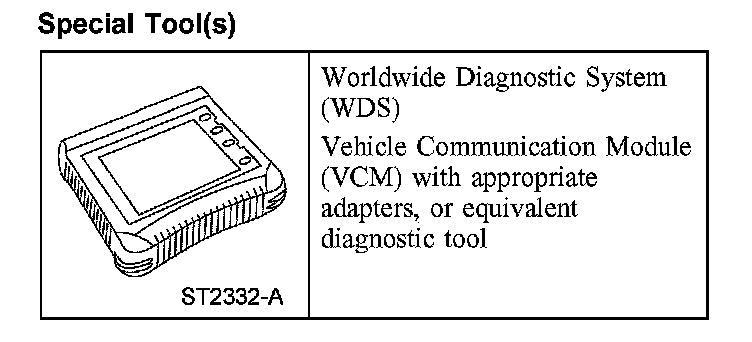
Special Tool(s)
NOTE:
- The spare key programming switch is a diagnostic tool programmable switch which provides the capability to enable/disable the customer spare key programming procedure. This programmable switch is provided as a convenience for customers who may not want the spare key programming procedure available to the vehicle driver. The spare key programming procedure is in the Owner's Literature and under Key Programming Using Two Programmed Keys.
- The spare key programming switch state can be viewed through the spare key instrument cluster PID.
1. Insert a programmed ignition key into the ignition lock cylinder and turn the ignition key to the RUN position.
2. Using the diagnostic tool, select instrument cluster from the menu. Select SECURITY ACCESS to obtain security access.
3. NOTE: The default setting on delivery of all new vehicles is.
From the diagnostic tool menu, select the spare key programming switch and select the desired setting:
The spare key programming procedure is accessible.
The spare key programming procedure is not accessible.
Unlimited Key Mode Programming
Enabling Unlimited Key Mode
NOTE: Unlimited key mode is intended for use by fleet customers who need more than 8 keys for their vehicle.
1. The customer must choose an 8-digit number to be programmed into all of their vehicles. Valid digits are 0-9 plus the letters A-F. An all 0 number is not allowed. All customer vehicles need to use the same number.
2. NOTE: If the unlimited transponder key id instrument cluster PID is not displayed on screen, unlimited key mode is turned on, and must be turned off before viewing the stored code. To view/change the stored code, follow the procedure for turning off unlimited key mode below.
Check the unlimited transponder key id PID and compare its value against the code chosen in Step 1.
3. Using the diagnostic tool, select instrument cluster from the menu. Follow SECURITY ACCESS to obtain security access.
4. Turn off the unlimited key mode to view the security key PID.
5. If the Unlimited Transponder Security Key PID was 00,00,00,00, select Command: SET UNLIMITED TRANSPONDER KEY. Enter the 8-digit code chosen by the user.
6. Select: ENABLE UNLIMITED KEY MODE.
7. Select: IGNITION CODE ERASE.
8. Disconnect the diagnostic tool and turn the ignition lock cylinder to the OFF position.
9. Program 2 ignition keys to enable the vehicle by turning the ignition lock cylinder from the OFF position to the RUN position. Make sure that each key remains in the RUN position for a minimum of 6 seconds.
10. Program any additional keys using either the Key Programming Using Two Programmed Keys or the Key Programming Using Diagnostic Equipment procedure.
Disabling Unlimited Key Mode
1. Using a diagnostic tool, select instrument cluster from the menu. Follow SECURITY ACCESS to obtain security access.
2. Select: DISABLE UNLIMITED KEY MODE.
3. Select: IGNITION KEY CODE ERASE.
4. Disconnect the diagnostic tool and turn the ignition lock cylinder to the OFF position.
5. Program 2 keys to enable the vehicle by turning each key to the ON position. Make sure that each key remains in the ON position for a minimum of 6 seconds.
6. Program any additional keys using either the Key Programming Using Two Programmed Keys or the Key Programming Using Diagnostic Equipment procedure.
Worldwide Diagnostic System (WDS):
Special Tool(s)
NOTE:
- The spare key programming switch is a diagnostic tool programmable switch which provides the capability to enable/disable the customer spare key programming procedure. This programmable switch is provided as a convenience for customers who may not want the spare key programming procedure available to the vehicle driver. The spare key programming procedure is in the Owner's Literature and under Key Programming Using Two Programmed Keys.
- The spare key programming switch state can be viewed through the spare key instrument cluster PID.
1. Insert a programmed ignition key into the ignition lock cylinder and turn the ignition key to the RUN position.
2. Using the diagnostic tool, select instrument cluster from the menu. Select SECURITY ACCESS to obtain security access.
3. NOTE: The default setting on delivery of all new vehicles is
From the diagnostic tool menu, select the spare key programming switch and select the desired setting:
Unlimited Key Mode Programming
Enabling Unlimited Key Mode
NOTE: Unlimited key mode is intended for use by fleet customers who need more than 8 keys for their vehicle.
1. The customer must choose an 8-digit number to be programmed into all of their vehicles. Valid digits are 0-9 plus the letters A-F. An all 0 number is not allowed. All customer vehicles need to use the same number.
2. NOTE: If the unlimited transponder key id instrument cluster PID is not displayed on screen, unlimited key mode is turned on, and must be turned off before viewing the stored code. To view/change the stored code, follow the procedure for turning off unlimited key mode below.
Check the unlimited transponder key id PID and compare its value against the code chosen in Step 1.
3. Using the diagnostic tool, select instrument cluster from the menu. Follow SECURITY ACCESS to obtain security access.
4. Turn off the unlimited key mode to view the security key PID.
5. If the Unlimited Transponder Security Key PID was 00,00,00,00, select Command: SET UNLIMITED TRANSPONDER KEY. Enter the 8-digit code chosen by the user.
6. Select: ENABLE UNLIMITED KEY MODE.
7. Select: IGNITION CODE ERASE.
8. Disconnect the diagnostic tool and turn the ignition lock cylinder to the OFF position.
9. Program 2 ignition keys to enable the vehicle by turning the ignition lock cylinder from the OFF position to the RUN position. Make sure that each key remains in the RUN position for a minimum of 6 seconds.
10. Program any additional keys using either the Key Programming Using Two Programmed Keys or the Key Programming Using Diagnostic Equipment procedure.
Disabling Unlimited Key Mode
1. Using a diagnostic tool, select instrument cluster from the menu. Follow SECURITY ACCESS to obtain security access.
2. Select: DISABLE UNLIMITED KEY MODE.
3. Select: IGNITION KEY CODE ERASE.
4. Disconnect the diagnostic tool and turn the ignition lock cylinder to the OFF position.
5. Program 2 keys to enable the vehicle by turning each key to the ON position. Make sure that each key remains in the ON position for a minimum of 6 seconds.
6. Program any additional keys using either the Key Programming Using Two Programmed Keys or the Key Programming Using Diagnostic Equipment procedure.
Factory Service Tools
Use the Manual With the Right Hardware
Pair factory procedures with proven DIY tools so the instructions are easier to execute.
Disclosure: Verified tool recommendations may earn an affiliate commission at no cost to you.
When to See a Mechanic
Stop DIY work and contact a certified mechanic immediately if any of the following apply:
- • You smell fuel, burning insulation, or see smoke.
- • Brakes feel soft, pull hard to one side, or make grinding noises.
- • The engine overheats, stalls repeatedly, or misfires under load.
- • You are missing required tools, torque specs, or safe lifting equipment.
- • You are not confident in the next step or safety outcome.