
Safety Warning
DIY auto repair can cause serious injury, fire, or vehicle damage. These guides are for informational purposes only. Always follow OEM torque specs, wear PPE, and consult a certified mechanic if you are unsure. You are solely responsible for your safety.
2006 Cadillac SRX RWD V6-3.6L VIN 7FACTORY OEM SERVICE PROCEDURE
Scan Tool Data List
SCAN TOOL DATA LIST
Scan Tool Data List (Part 1):
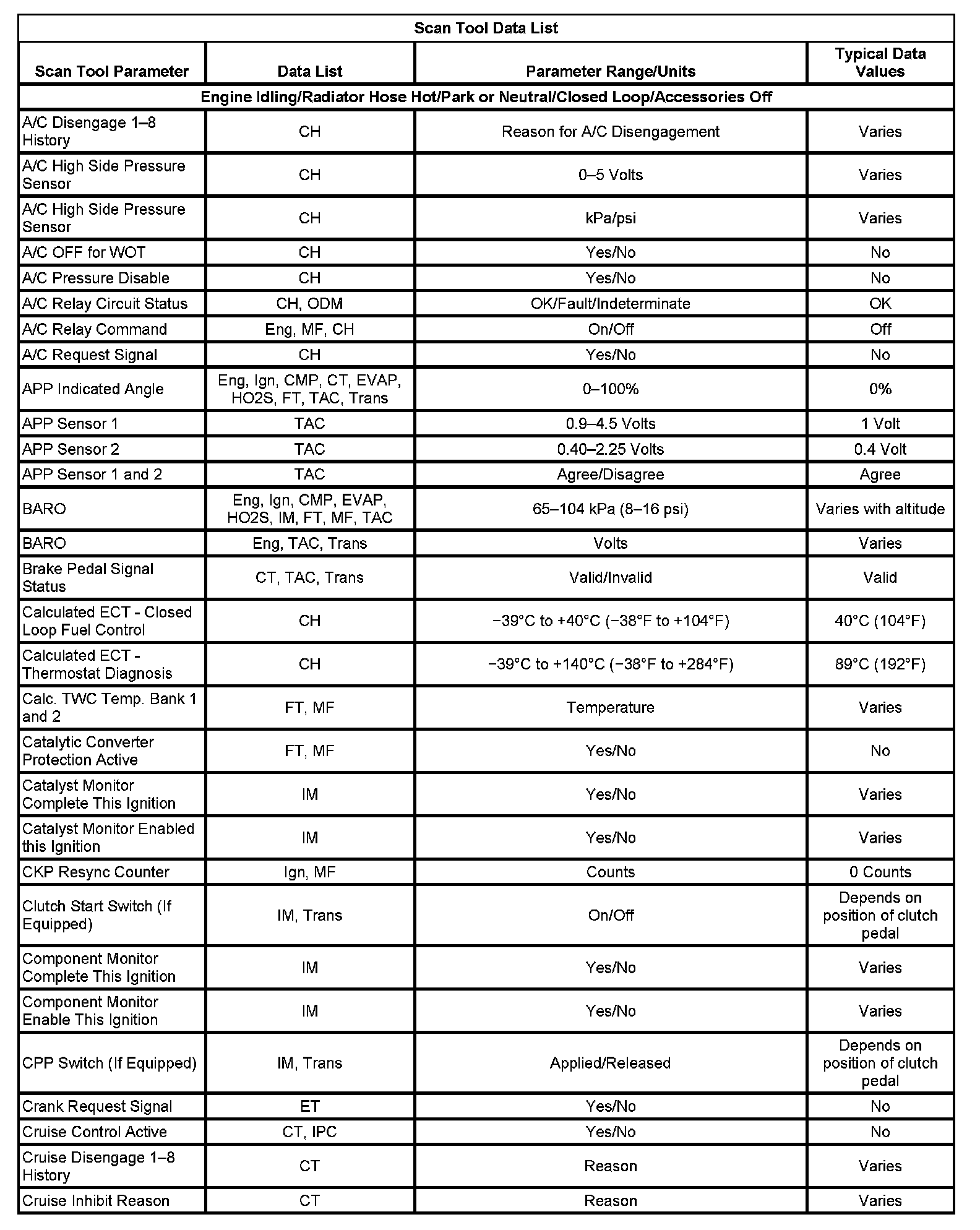
Scan Tool Data List (Part 2):
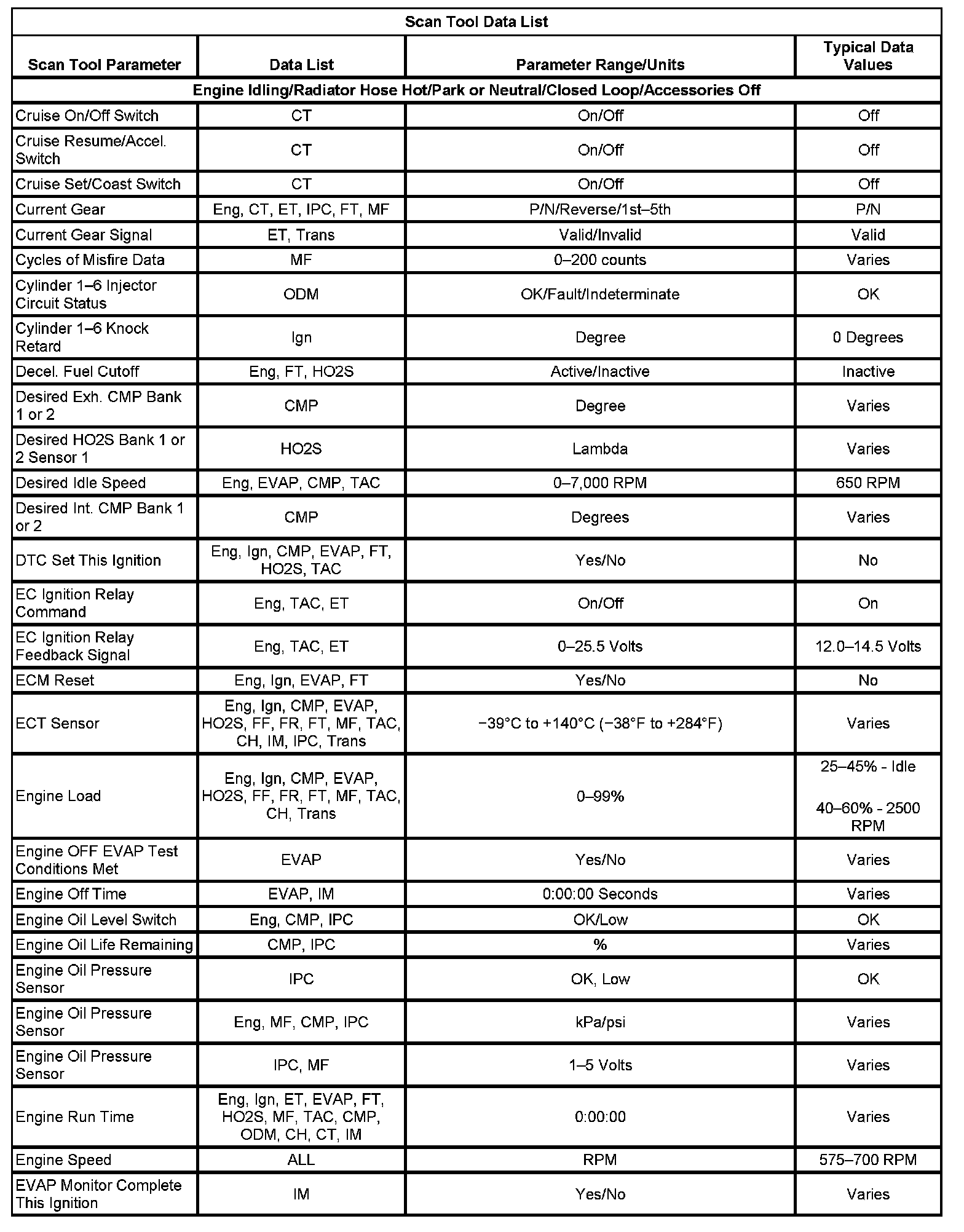
Scan Tool Data List (Part 3):
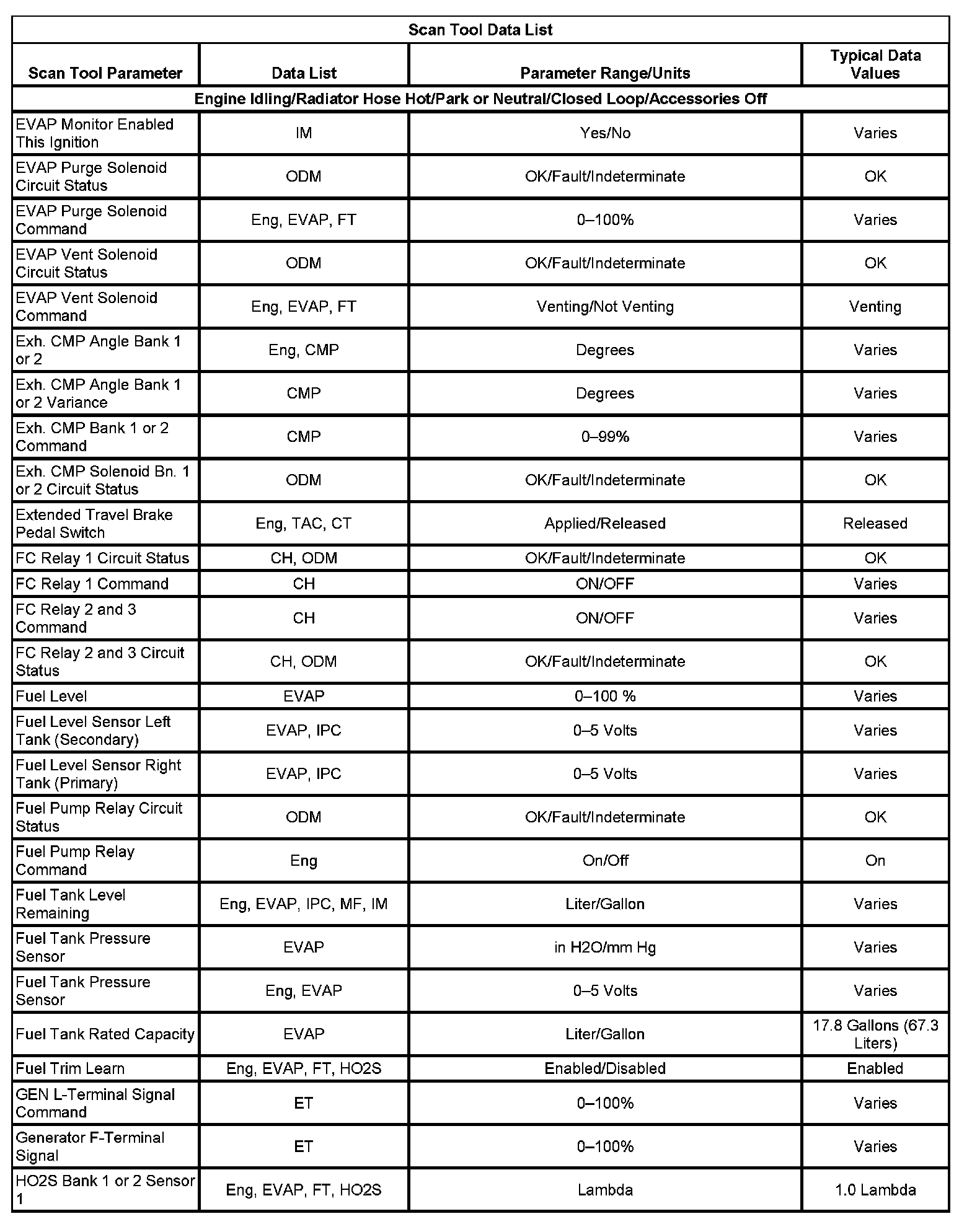
Scan Tool Data List (Part 4):
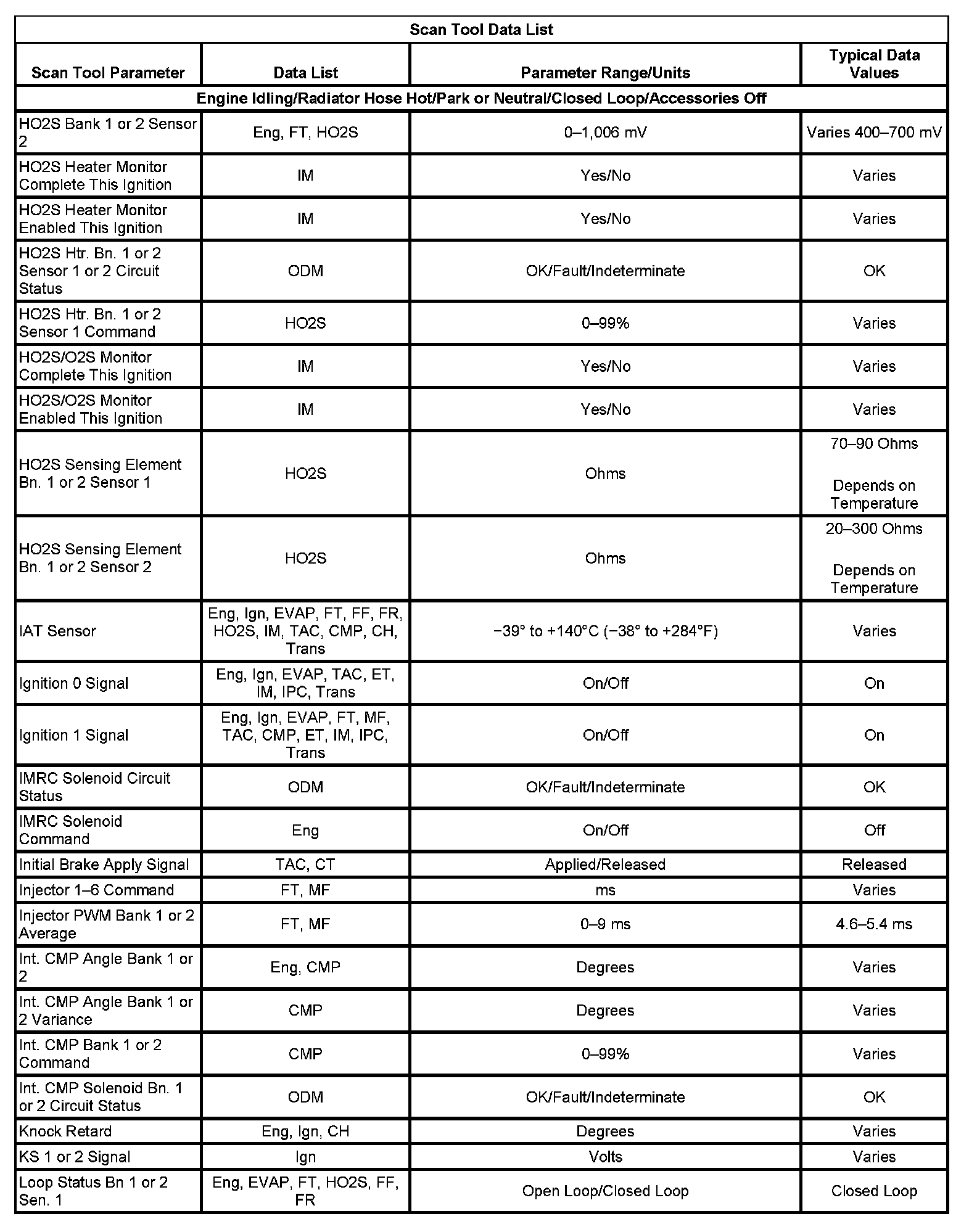
Scan Tool Data List (Part 5):
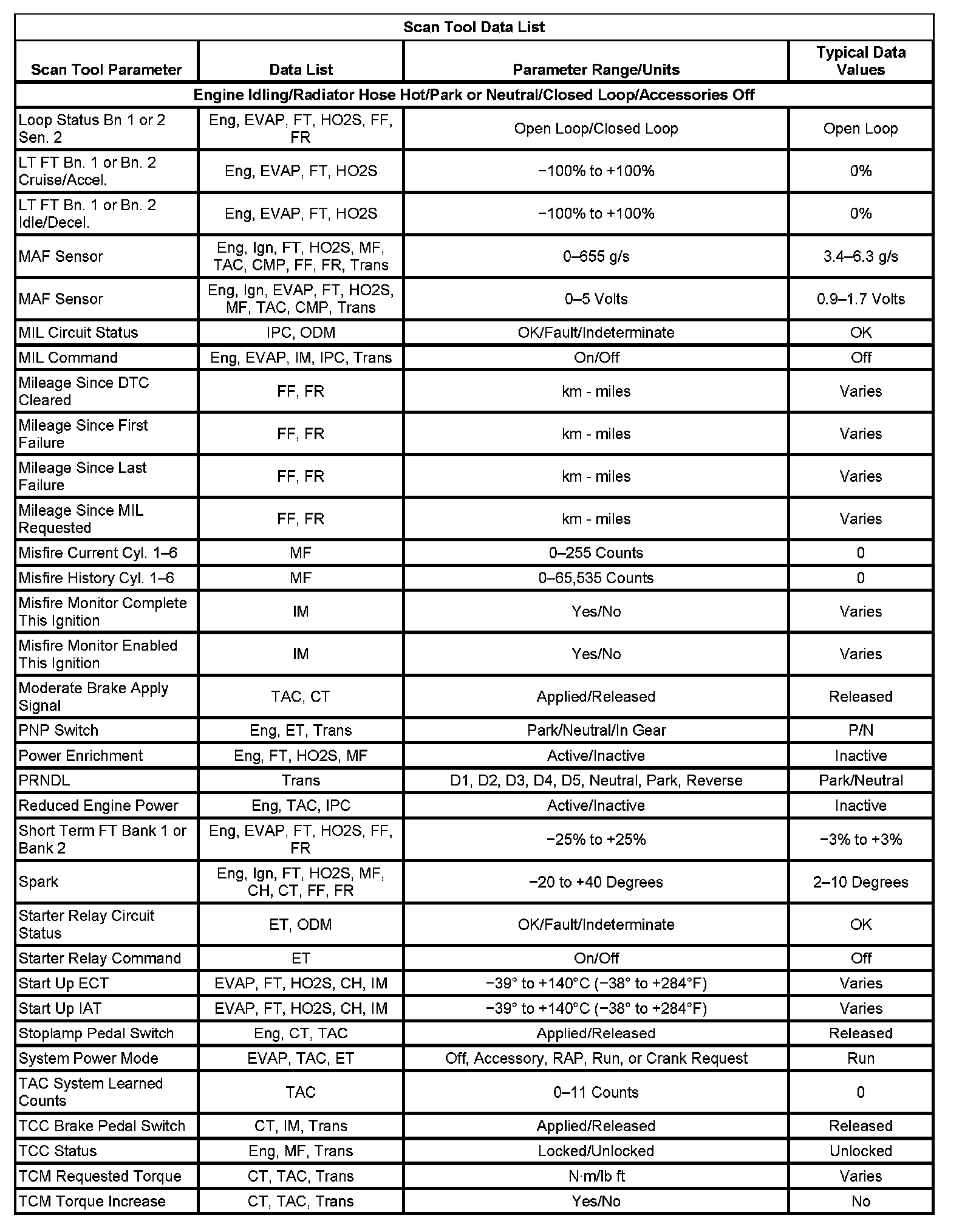
Scan Tool Data List (Part 6):
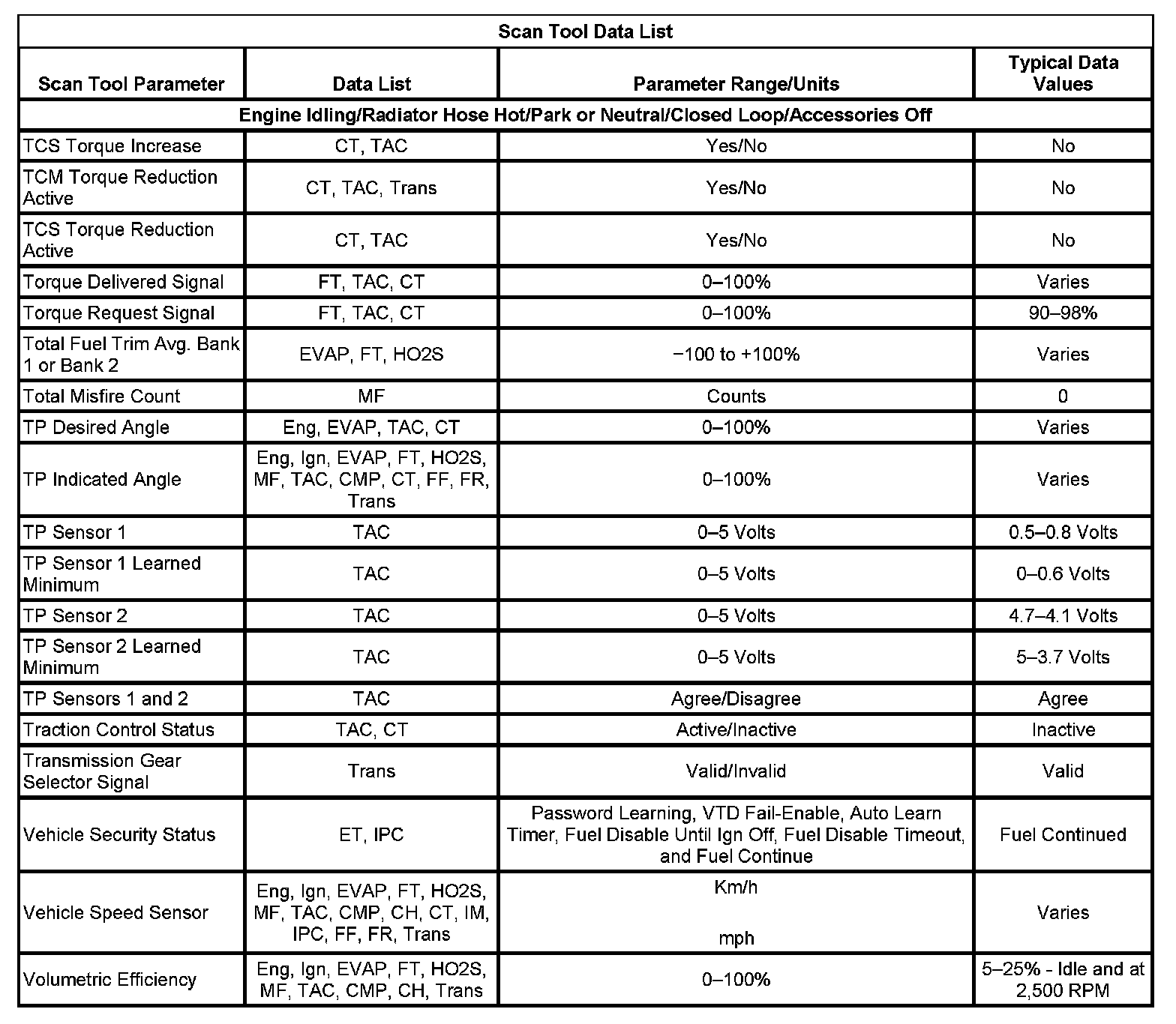
The Engine Scan Tool Data List contains all engine related parameters that are available on the scan tool. The list is arranged in alphabetical order. A parameter may appear in any one of the data lists, and in some cases may appear more than once, or in more than one data list in order to group certain related parameters together.
Use the Engine Scan Tool Data List only after the following conditions are determined:
- The Diagnostic System Check - Vehicle is completed.
- There are no diagnostic trouble codes (DTCs).
- The on-board diagnostics are functioning correctly.
Scan tool values from an engine that is operating correctly may be used for comparison with the engine you are diagnosing. The Engine Scan Tool Data List represents the values that would be seen on a normal operating engine.
IMPORTANT: Do not use a scan tool that displays faulty data. The scan tool concern should be reported to the manufacturer. Use of a faulty scan tool may result in misdiagnosis and unnecessary parts replacement.
Only the parameters listed below are referenced in this service information for use in diagnosis. If all values are within the typical range described below, refer to Symptoms - Computers and Control Systems for diagnosis. - Symptoms - Engine Controls
The column labeled Data List indicates where a parameter is located on the scan tool. Review the scan tool operating manual for the exact locations of the data lists. The following is a description of each term listed:
All: The Parameter is in all data lists indicated below.
Eng: Engine Data
Ign: Ignition Data
EVAP: EVAP Data
FT: Fuel Trim Data
HO2S: HO2S Data
MF: Misfire Data
TAC: TAC Data
CMP: CMP Actuator Data
ODM: ODM Data
CH: Cooling/HVAC Data
CT: Cruise/Traction Data
ET: Electrical/Theft Data
IPC: IPC Data
IM: I/M Data
Trans: Transmission Data
FF: Freeze Frame Data
FR: Failure Records Data
Factory Service Tools
Use the Manual With the Right Hardware
Pair factory procedures with proven DIY tools so the instructions are easier to execute.
Disclosure: Verified tool recommendations may earn an affiliate commission at no cost to you.
When to See a Mechanic
Stop DIY work and contact a certified mechanic immediately if any of the following apply:
- • You smell fuel, burning insulation, or see smoke.
- • Brakes feel soft, pull hard to one side, or make grinding noises.
- • The engine overheats, stalls repeatedly, or misfires under load.
- • You are missing required tools, torque specs, or safe lifting equipment.
- • You are not confident in the next step or safety outcome.
Rather have a pro handle this?
A certified mobile mechanic comes to your home or office. They bring the tools, you stay comfortable. No tow truck, no waiting room, no surprises.
Comes to youSame-day available12-month warranty
Get a Free QuoteNo obligation. See pricing before you book.